







































Timetable
Plans each class's week: which subject is taught in each period, when, by whom and in which room. The register then offers only the periods the timetable has.
| At a glance | |
|---|---|
| Type | Business module |
| Group | Learn |
| Needs | Student information (SIS), for the classes |
| Included in | Schools & colleges, Classes & coaching |
| Offered to | Schools & colleges, Classes & coaching |
| Permissions | View timetable (timetable.view), Manage timetable (timetable.manage) |
Switching it on
Workspace → Modules → Timetable → Enable (needs Manage modules). Student information must be on first; the Modules screen says so if it is not. Timetable appears under Learn.
The weekly timetable
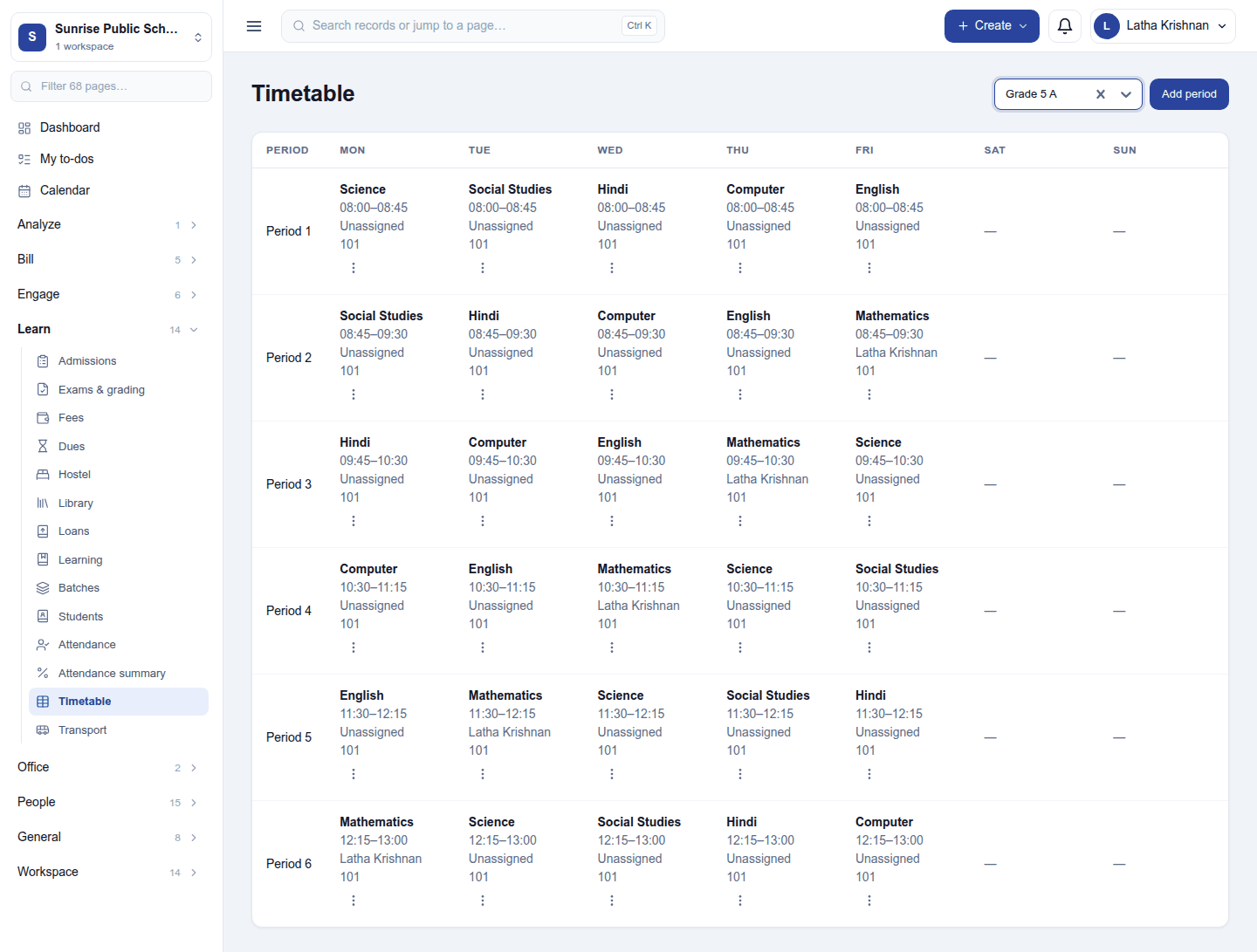
Learn → Timetable: pick a class at the top right. The grid shows one row per period and one column per day, Monday to Sunday. Each slot shows the subject, its times, the teacher (Unassigned when none) and the room. A slot's ⋮ menu offers Edit and Remove period (which asks first).
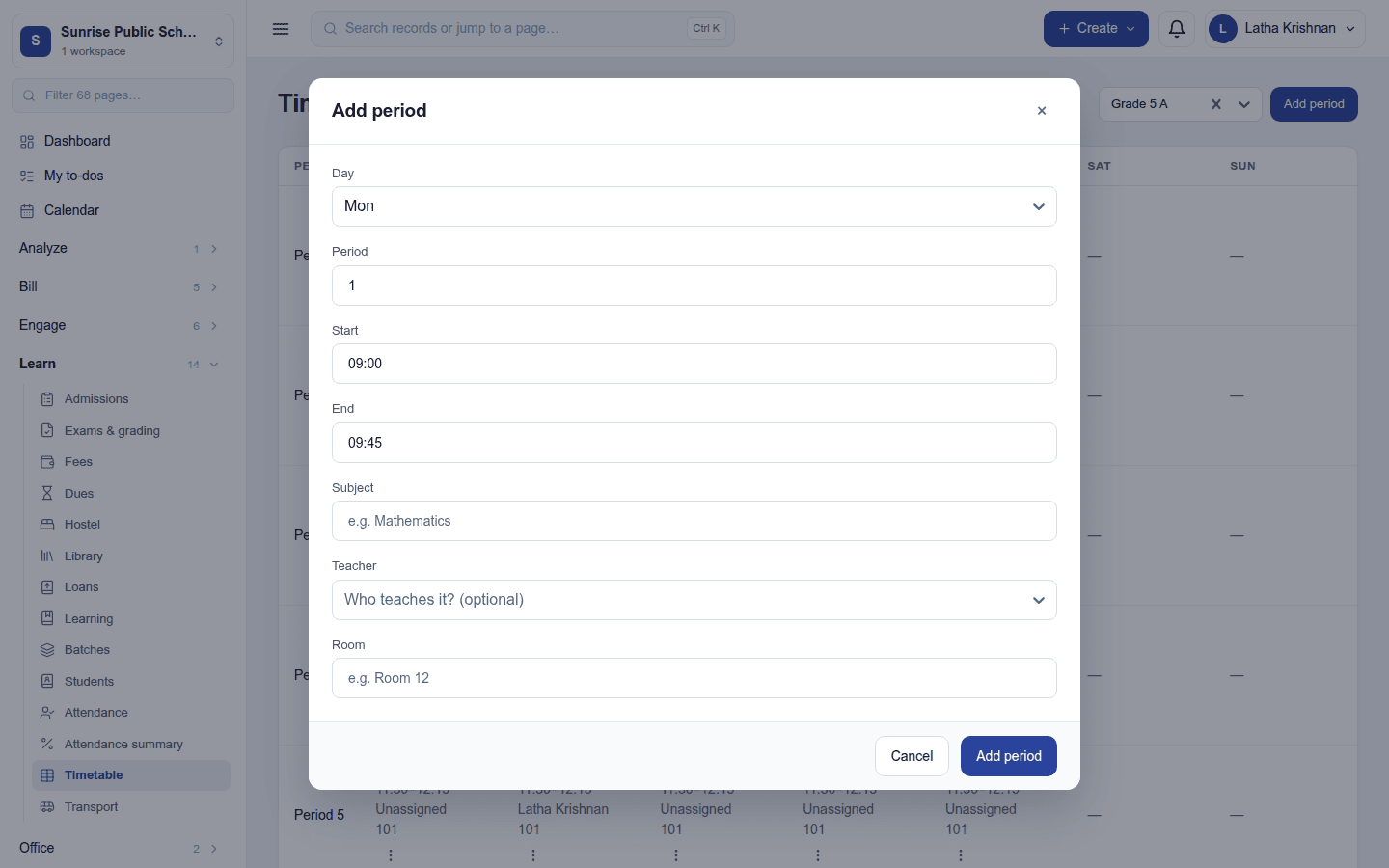
Add period opens a dialog:
| Field | What to enter |
|---|---|
| Day | The weekday |
| Period | Its number in the day (1, 2, 3 …, up to 50) |
| Start / End | The times |
| Subject | Free text, for example Mathematics |
| Teacher | A staff member (optional) |
| Room | For example Room 12 (optional) |
What it changes elsewhere
On the attendance register, a class with a timetable offers Whole day plus only that weekday's periods, each with its subject and times, and refuses a period the timetable does not have. A new period register starts with the slot's subject filled in.
Permissions
| Permission | Allows |
|---|---|
View timetable (timetable.view) |
See the timetable. |
Manage timetable (timetable.manage) |
Add, change and remove periods. |
Ready-made automations
None. A timetable has no moment that needs a person.
Turning it off
Timetable leaves the menu. Its periods are kept but no longer restrict the register, which then accepts any period.
In the desktop and mobile apps
Not carried.
Related guides
- Student information (SIS), Student attendance (detail)
- Module guides index