







































Subscriptions
Sells things on repeat (memberships, retainers, maintenance plans, monthly boxes) and bills each subscriber by itself every period, with upgrades, pauses, fixed terms, close reasons and recurring revenue.
| At a glance | |
|---|---|
| Type | Business module |
| Group | Sell |
| Needs | Nothing. Each bill is an ordinary invoice. |
| Included in | Gym & coaching, Classes & coaching, Clinics, Trusts & non-profits, Salon & spa and others |
| Offered to | Every industry pack |
| Permissions | View subscriptions (subscriptions.view), Manage subscriptions (subscriptions.manage) |
Switching it on
Workspace → Modules → Subscriptions → Enable (needs Manage modules). Subscriptions appears under Sell, and Settings gains its page.
Plans and subscribers
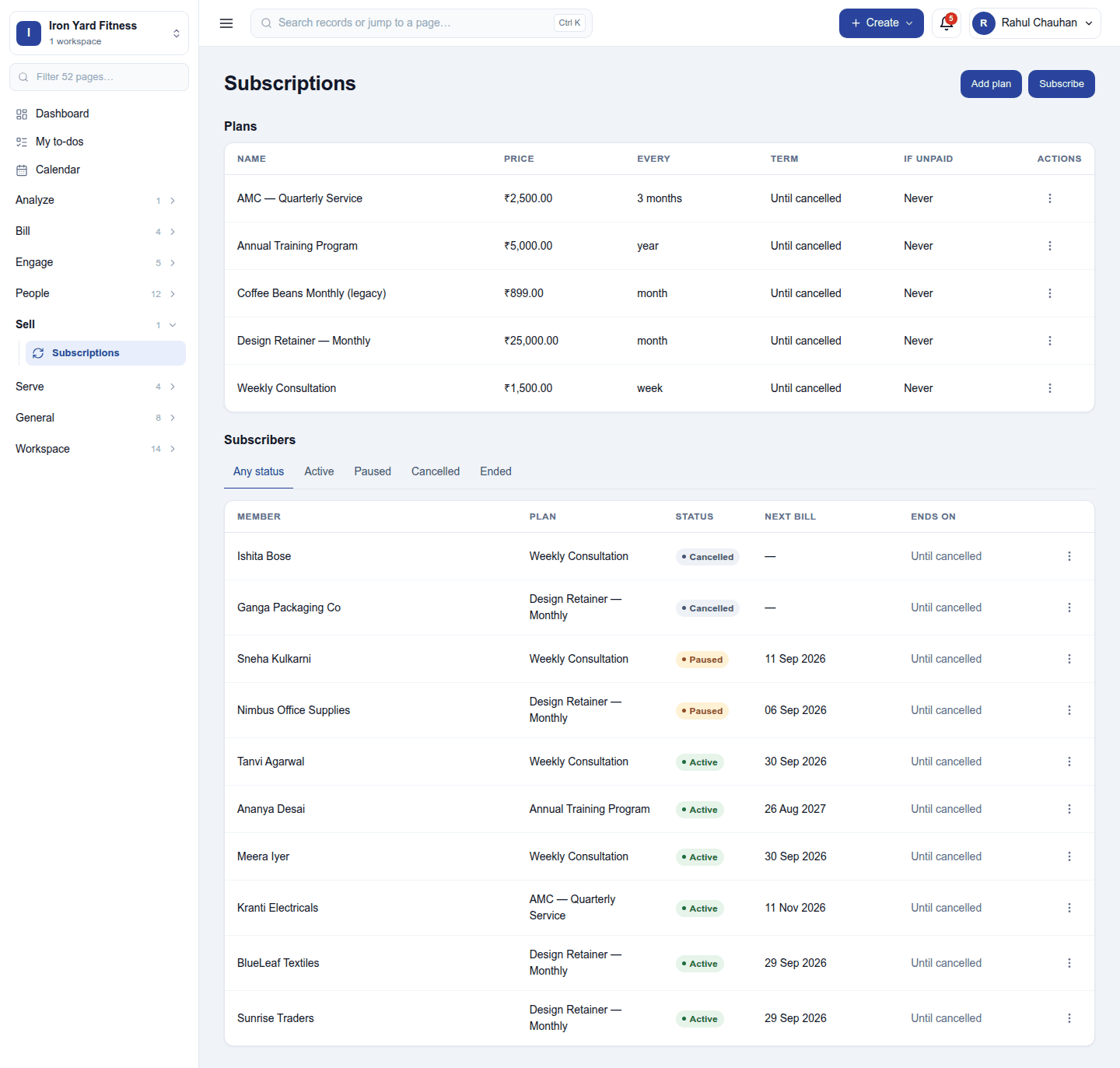
Sell → Subscriptions has two lists.
Plans are what is sold: each with its price, how often it bills (every N weeks, months or years), its term (until cancelled, or a fixed number of periods) and what happens if unpaid. Add plan sets the plan's product and price, and any lines also included in every new subscription (Membership × 1, Locker × 1).
Subscribers are the running subscriptions: who, which plan, what it bills, status, next bill date and when it ends. The tabs filter Any status / Active / Paused / Cancelled / Ended. Subscribe starts one: pick the customer and the plan, adjust the lines it bills each period (quantities and agreed prices), and the start date.
A subscriber's ⋮ menu:
- Edit, and Change lines: the next bill and every one after it use the new lines (already-billed periods are not changed).
- Upgrade or downgrade part-way through a term.
- Pause and Resume.
- Bill now: issue the current period's invoice straight away.
- Change customer: hand the subscription to another customer.
- Internal note.
- Cancel: Now - billing stops immediately, or At the end of the period already billed, with a close reason. Keep it running backs out.
Billing
Every day the subscriptions due are billed: an invoice for the period's lines, numbered from the workspace's series, then paid, reminded and reported like any other invoice. A subscription can bill from the start of each period so all its bills fall on the same day of the month. With one invoice per customer per renewal day on, a customer's several subscriptions due the same day share one invoice.
A subscription left unpaid is paused or closed as its plan says. An accepted quotation can start a subscription, and Donations uses subscriptions for recurring gifts.
Settings
Settings → Subscriptions:
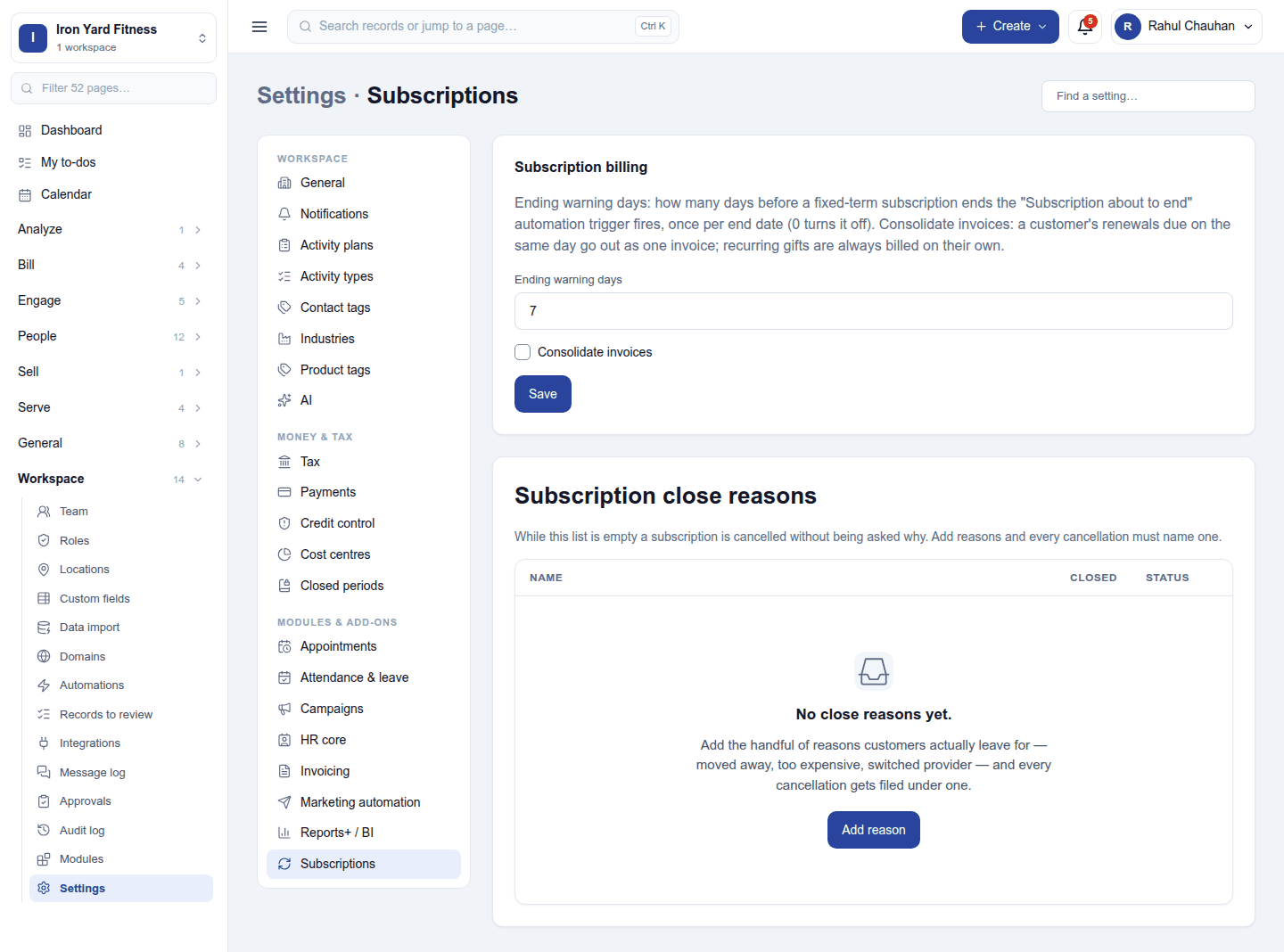
| Card | Setting | Default | What it does |
|---|---|---|---|
| Subscription billing | Ending warning days | 7 | How many days before a subscription ends the owner is told. |
| One invoice per customer per renewal day | Off | Puts a customer's subscriptions due on the same day on one invoice. | |
| Subscription close reasons | (a list) | none | Why subscriptions end (Moved away, Too expensive), asked when one is cancelled. Retire a reason rather than delete one in use. |
Reports
Reports → Subscriptions shows monthly recurring revenue (MRR) and how it moves: new, expansion, contraction and churn.
Permissions
| Permission | Allows |
|---|---|
View subscriptions (subscriptions.view) |
See plans, subscriptions and their billing. |
Manage subscriptions (subscriptions.manage) |
Keep plans; start, change, pause and cancel subscriptions; keep close reasons. |
Ready-made automations
| Name | Kind | What it does | Starts |
|---|---|---|---|
| Call before a subscription ends | Rule | Tells the workspace owner a subscription is about to end, in time to keep the customer. | On |
Turning it off
The screen leaves the menu and billing stops. Plans, subscriptions and invoices already raised are kept.
In the desktop and mobile apps
Not carried.