







































Fees
Sets out what the school charges each grade, bills the assigned students for each period as ordinary invoices, shows who still owes what, and reminds families before and after a fee falls due.
| At a glance | |
|---|---|
| Type | Business module |
| Group | Learn |
| Needs | Nothing. Fee bills are invoices, so they are paid and credited like any other. |
| Included in | Schools & colleges, Classes & coaching |
| Offered to | Schools & colleges, Classes & coaching |
| Permissions | View fees (fees.view), Manage fees (fees.manage) |
What it does
Fees is a catalogue of charges plus a billing run. It keeps no bills of its own: every fee it bills is an ordinary invoice, so it is paid, credited, reminded, printed and reported exactly like any other invoice, and a family with a portal login sees it under My invoices.
Switching it on
Workspace → Modules → Fees → Enable (needs Manage modules). Fees and Dues appear under Learn.
Fee structures
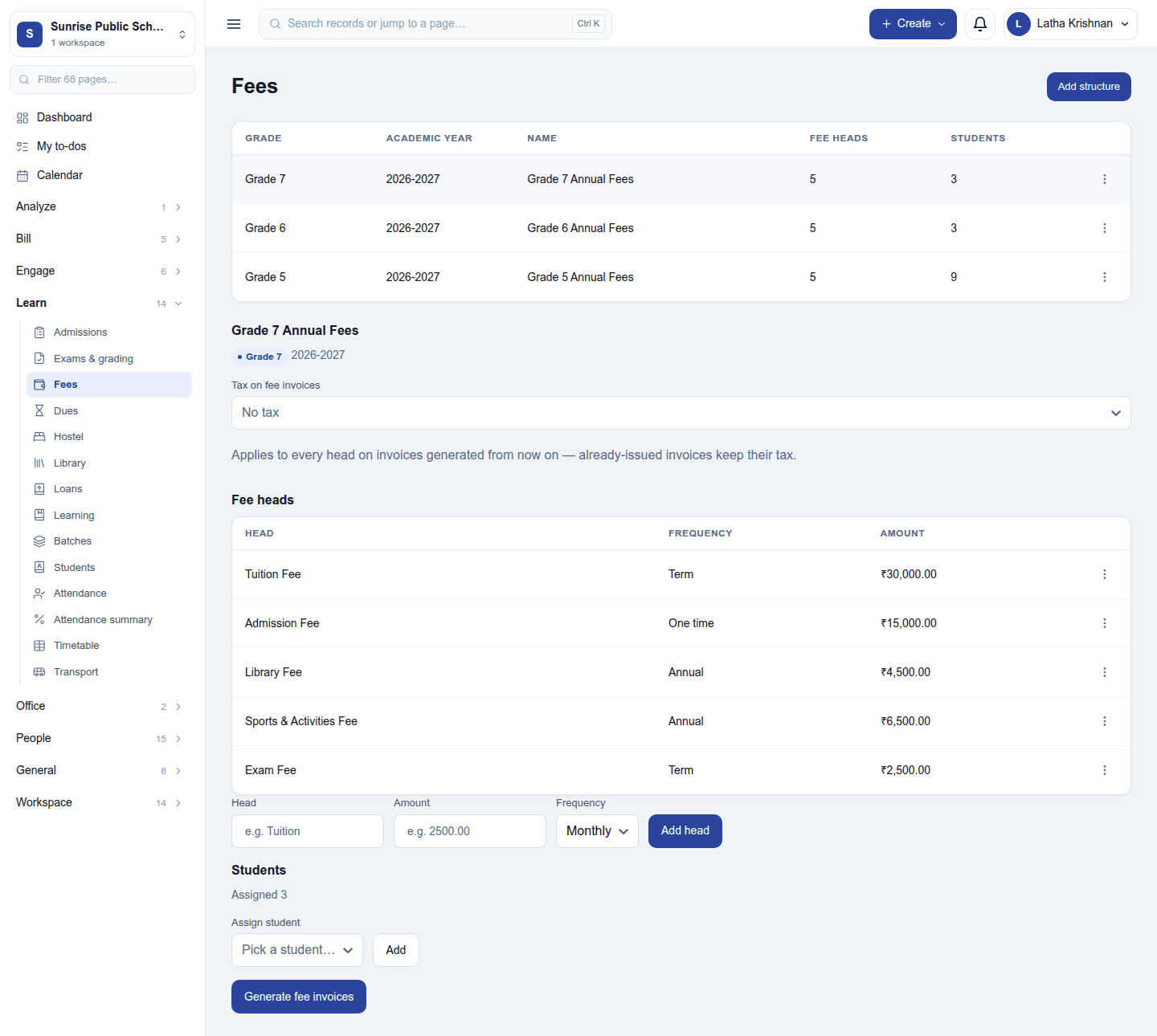
Learn → Fees lists the fee structures: one grade's charges for one academic year (for example Grade 7 Annual Fees, 2026-2027), with how many fee heads and students each has. Add structure asks for its name, academic year and grade:
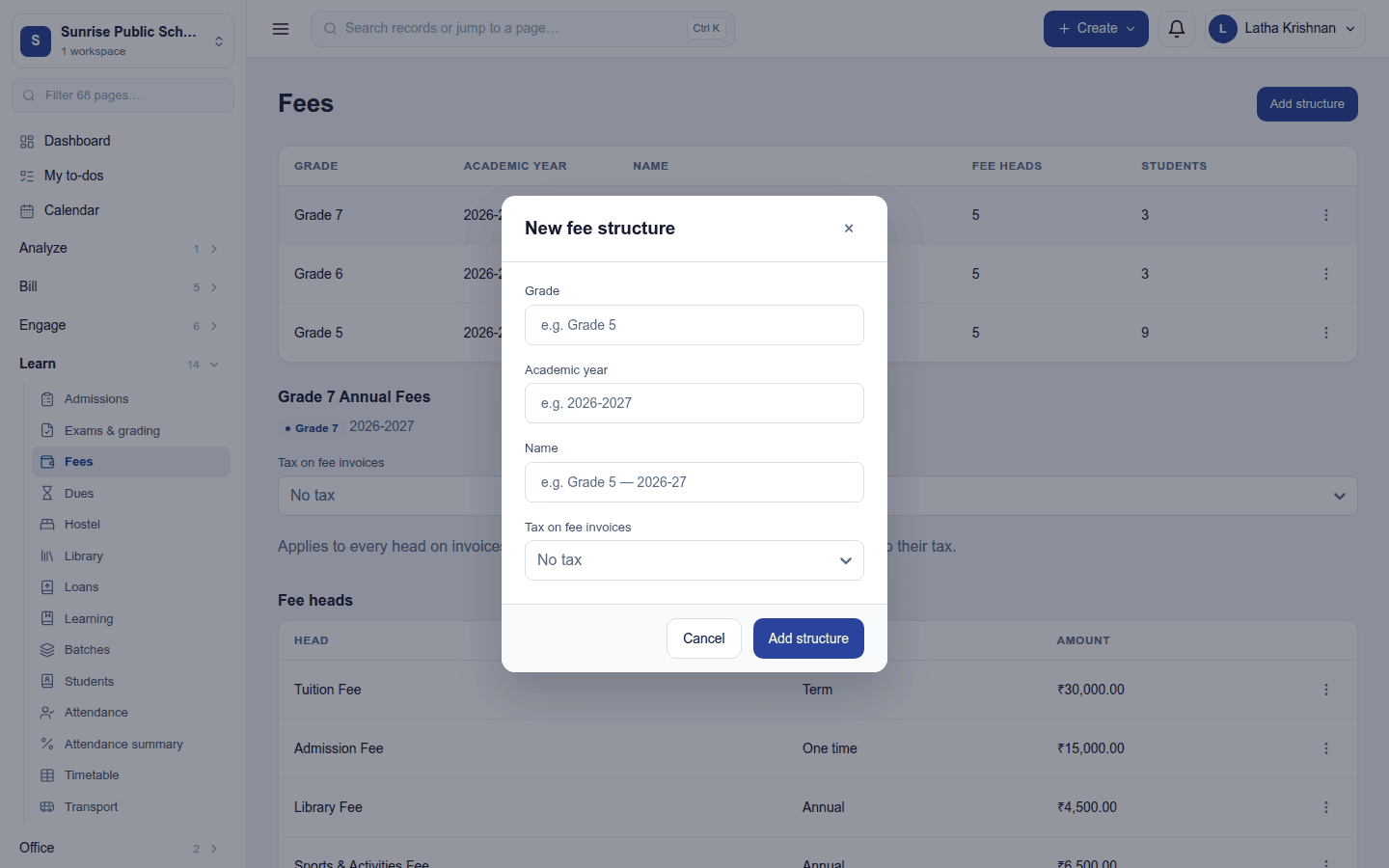
Each academic year, grade and name can have one structure; a second is refused inside the dialog. Click a structure to open it:
- Tax on fee invoices: the tax group every generated invoice applies, or No tax. A change applies to invoices generated from then on; invoices already issued keep their tax.
- Fee heads: each charge with its frequency (One time, Monthly, Term or Annual) and amount, for example Tuition Fee, Term, ₹30,000. Add one with the row under the list; remove one from its ⋮ menu.
- Students: who this structure bills. Assign student picks a student and Add.
A structure or a head that has already billed someone cannot be deleted.
Billing a period
Generate fee invoices on a structure bills every assigned student for one period (for example 2026-07, term-1 or annual). It raises one invoice per student, with a line for each head due in that period, and reports how many invoices were created and how many students were skipped. Running the same period again never bills a student twice.
Dues
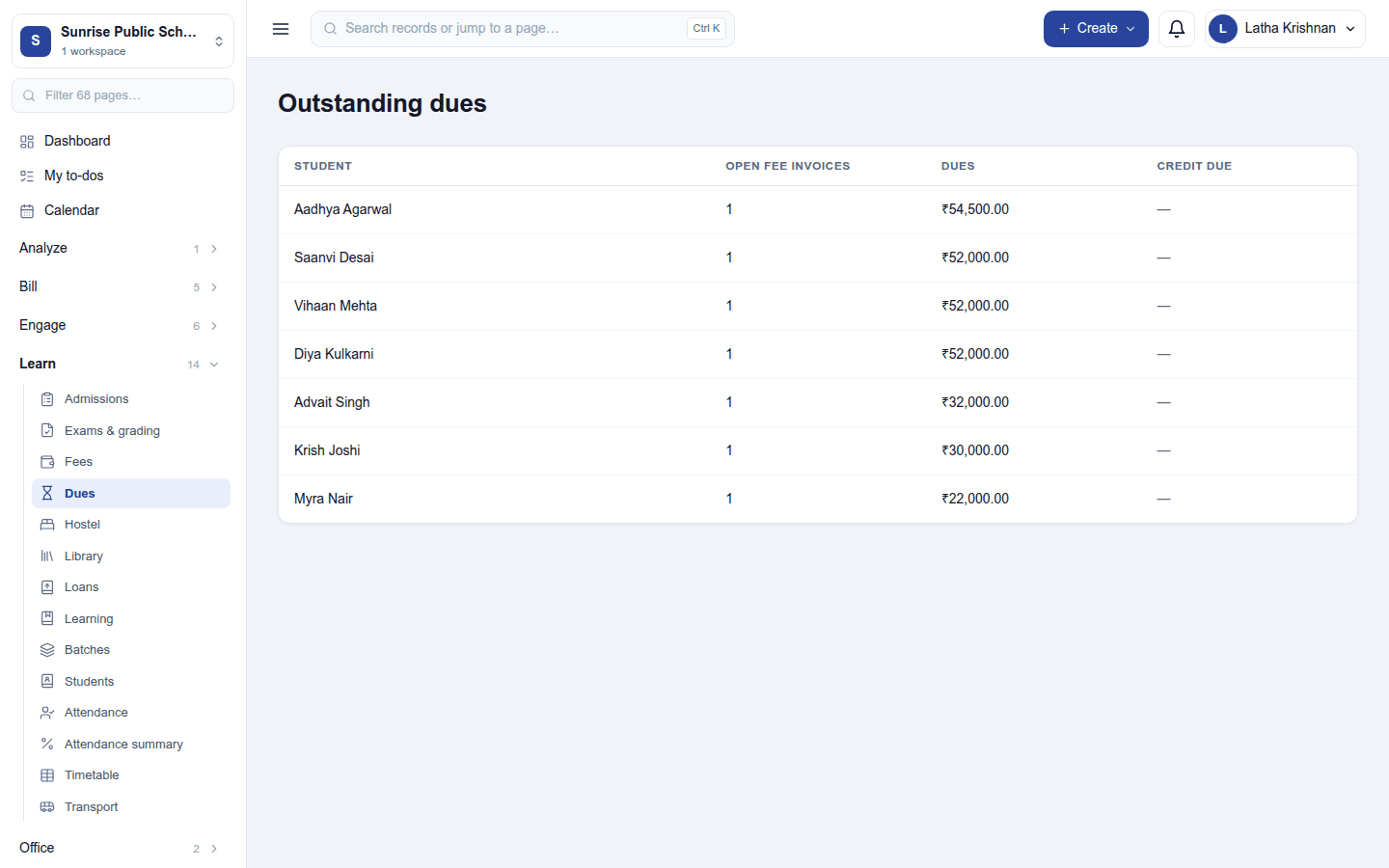
Learn → Dues (Outstanding dues) lists each student who still owes money on fee invoices, the largest first:
| Column | What it shows |
|---|---|
| Student | Who owes it |
| Open fee invoices | How many of their fee invoices still have something to pay |
| Dues | What is still owed, after payments and credit notes. The same figure as the dashboard's Fees due tile. |
| Credit due | What the school owes the family back (a fee paid and then credited by more than was left), in a green badge. It is never set against what they owe elsewhere. |
When nothing is owed either way: No outstanding dues.
Reminders
Families are reminded by email 7 days before a fee falls due, the day before, and 3 days after if it is still unpaid, counted on the workspace's own calendar. Only fee invoices that still owe money after payments and credit notes are chased. While Fees is on, these reminders replace Invoicing's overdue reminders for fee invoices.
Where else a fee shows
- Invoicing: every fee invoice, with its payments, credit notes and PDF.
- Dashboard: Fees due, Overdue fees and how many students owe fees.
- Customer portal: My invoices for a family with a portal login.
Permissions
| Permission | Allows |
|---|---|
View fees (fees.view) |
See fee structures, fee bills and what is due. |
Manage fees (fees.manage) |
Set up structures, heads and students, and generate fee invoices. |
Ready-made automations
None. Fee due reminders are built in.
Turning it off
Fees and Dues leave the menu and the fee reminders stop; overdue fee invoices then fall to Invoicing's own overdue reminders if those are switched on. Structures and invoices are kept.
In the desktop and mobile apps
Not carried.