







































HR core
The employee record that the people modules build on: who works here, their job, department and manager, contract and pay with its history, documents and their expiry, the org chart, onboarding and offboarding, and departures.
| At a glance | |
|---|---|
| Type | Business module |
| Group | People |
| Needs | Nothing |
| Needed by | Attendance & leave, Payroll, Recruitment, Appraisals, Shift planning, Skills |
| Included in | Clinics, Schools & colleges, Hotel / guest house, Manufacturing, Restaurant, Trusts & non-profits and others |
| Offered to | Every industry pack |
| Permissions | View HR (hr.view), Manage HR (hr.manage) |
What it is, and is not
HR core keeps the employment side: the employee record. Signing in to the workspace is separate and is never a module: people are invited on Workspace → Team, and an employee record can be linked to a login (or the employee invited from their record).
Switching it on
Workspace → Modules → HR core → Enable (needs Manage modules). Employees, Org chart, Departments and Document expiries appear under People, and Settings gains an HR core page.
Employees
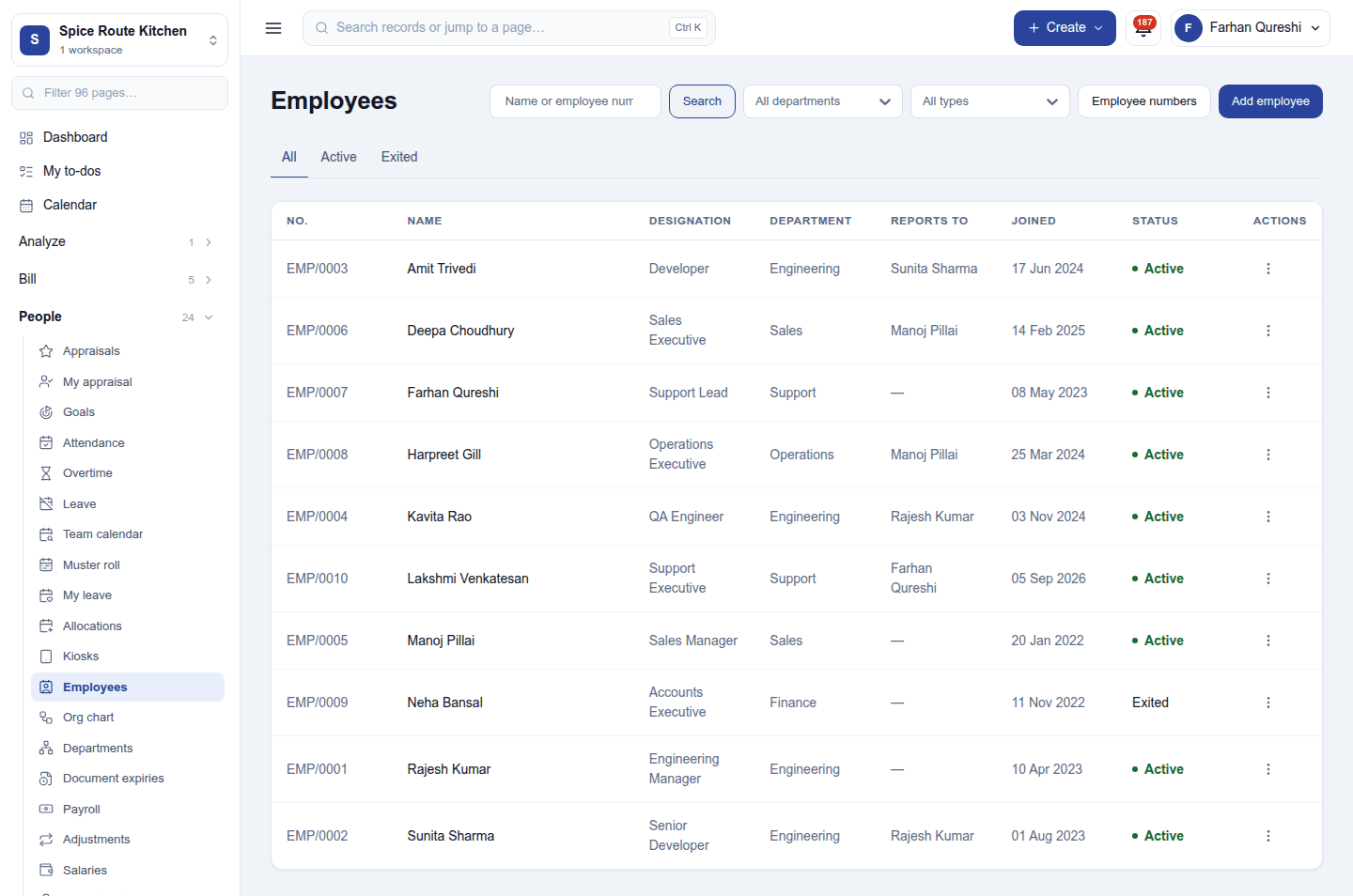
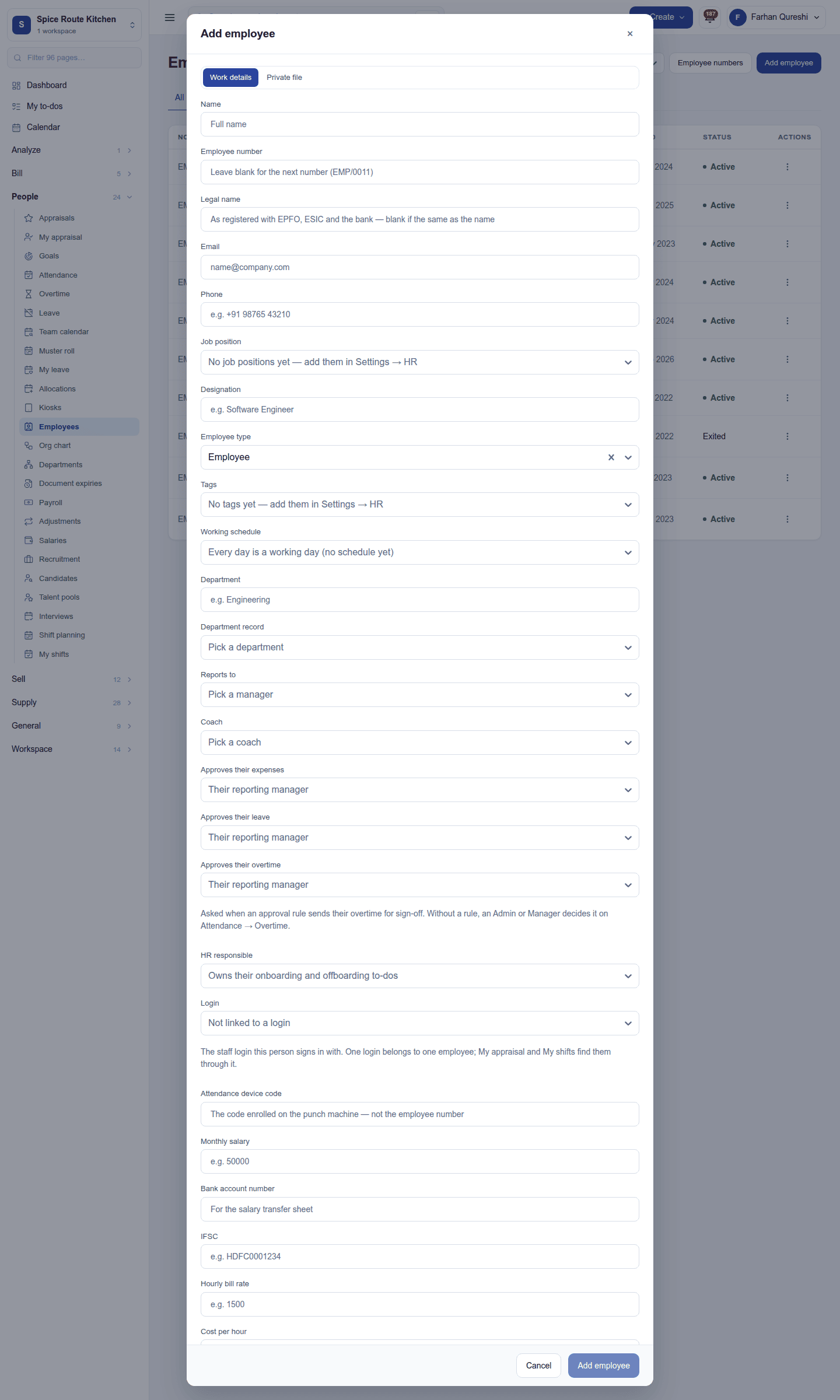
People → Employees lists everyone with their number, name, designation, department, manager and status; search by name or number and filter by department, type and tag. Add employee opens the record:
| Part | What it holds |
|---|---|
| Employee details | Full name and legal name (as the tax office and bank have it), photo, employee number (the next in the series if left blank), designation and job position, department, reports to, coach, HR responsible, employee type and tags, joining date, login |
| Approvers | Who approves their leave, overtime, expenses and timesheets |
| Contract and pay | The employment record: contract dates, wage basis (by the month, day or hour), salary, working schedule. A change saves to the record in force and keeps the history. |
| Bank and statutory | Bank account and bank code for the salary transfer, statutory numbers |
| Other | Attendance device code (for punch machines), billable hours and bill rate, cost per hour, custom fields |
A record's ⋮ menu: Edit, Contract and pay, Private file (documents only HR sees), Skills and certifications, Activities and notes, Apply plan (an onboarding or offboarding plan of to-dos), Photo, Print badge (an ID badge with the photo), and End employment, which records the departure (date, reason) and takes them off attendance and payroll from that day; it can be changed or cancelled until then. Reactivate brings someone back. Invite to the team in the record gives the employee a login.
The org chart, departments and document expiries
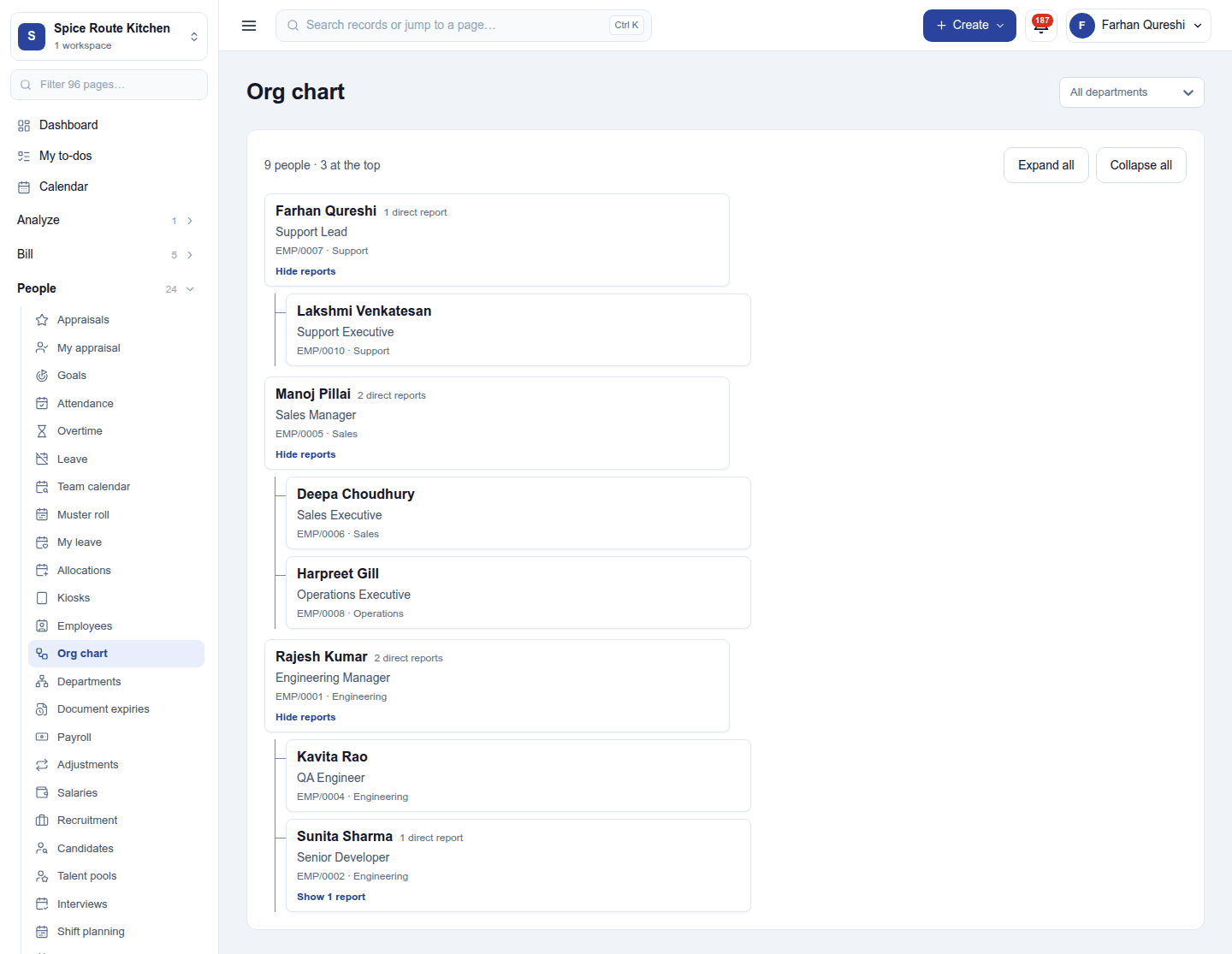
- Org chart: who reports to whom, drawn from each record's manager.
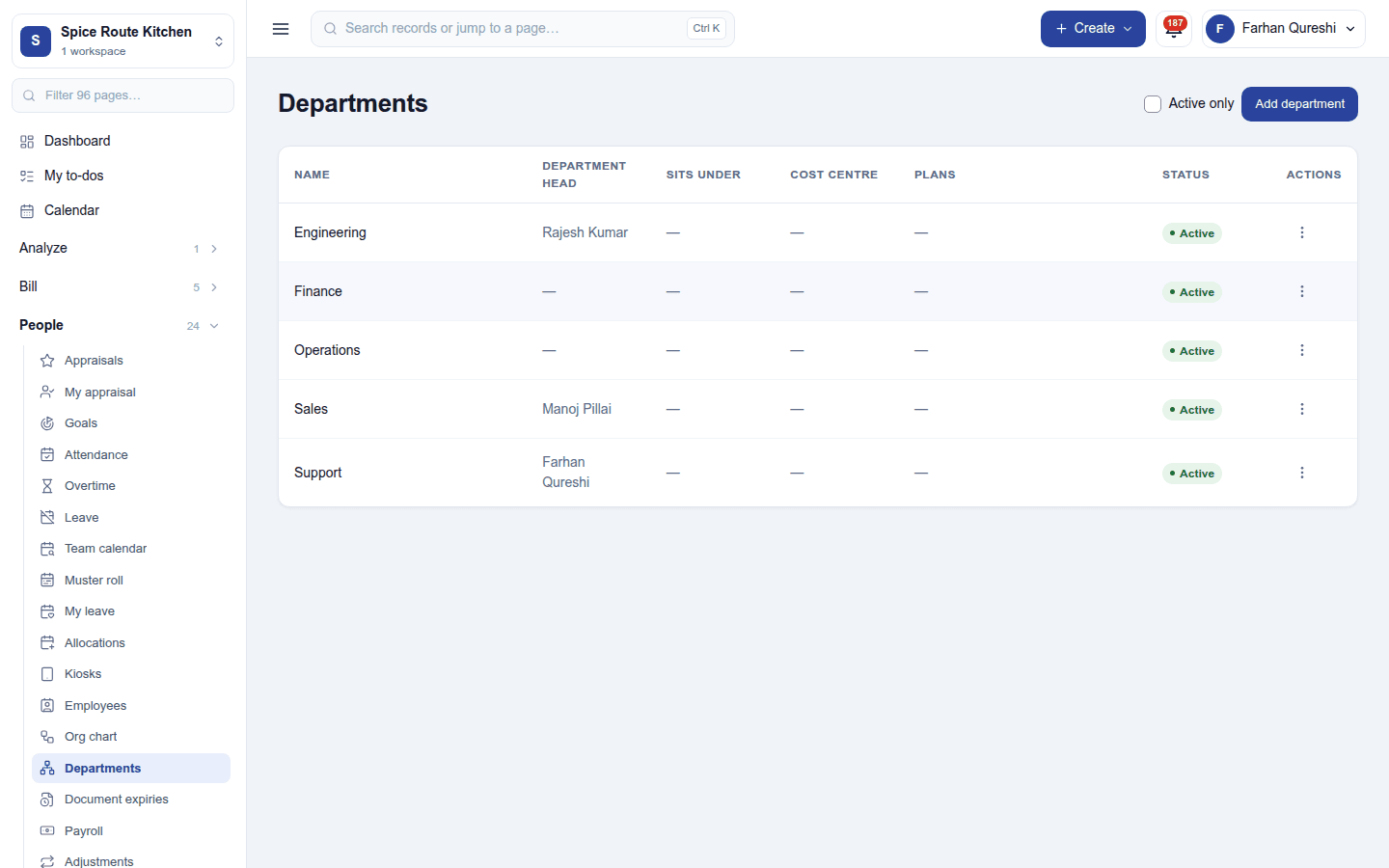
- Departments: each department with its manager, cost centre, and the onboarding and offboarding plans its people get.
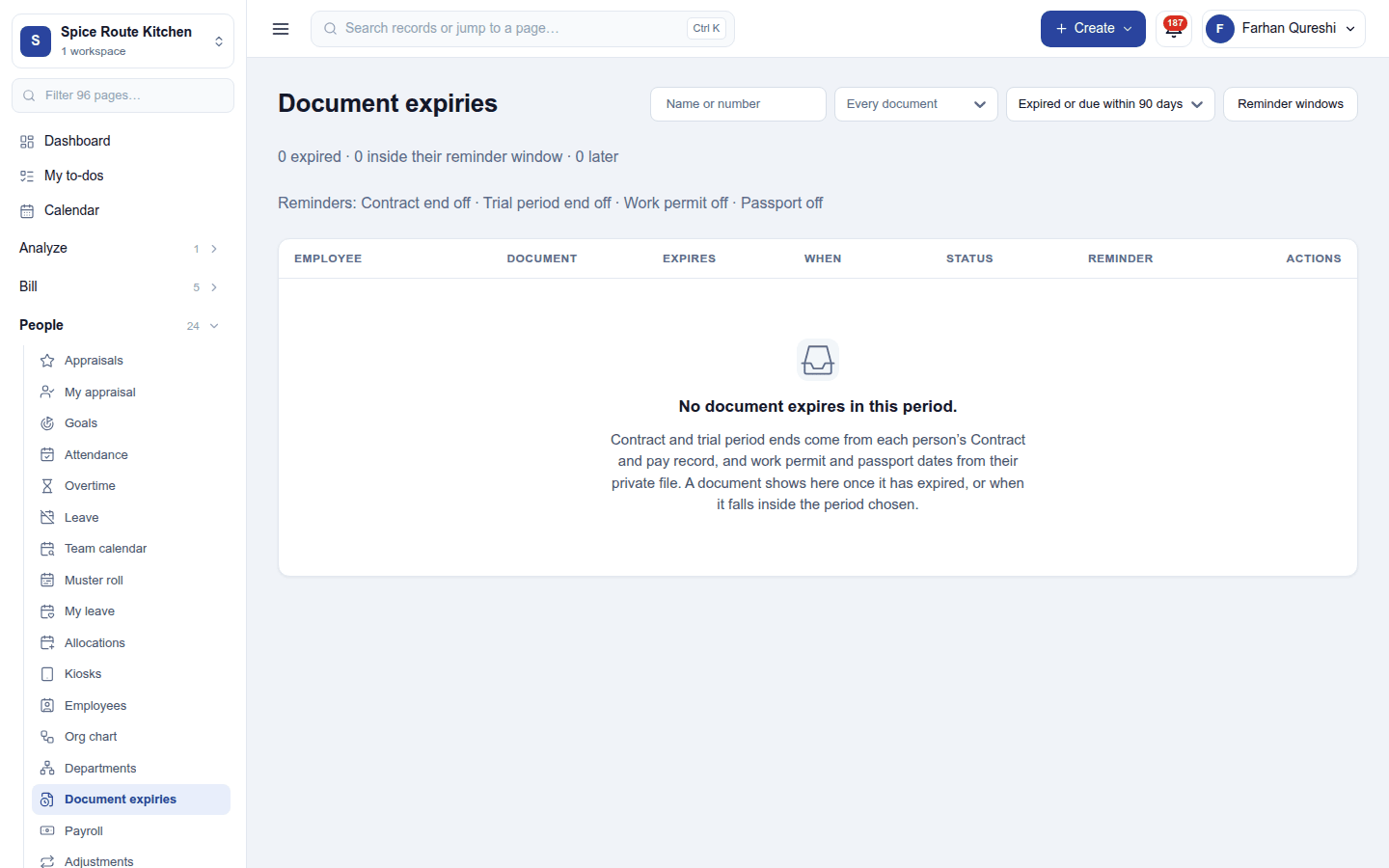
- Document expiries: contracts, trial periods, work permits and passports running out, soonest first.
Settings
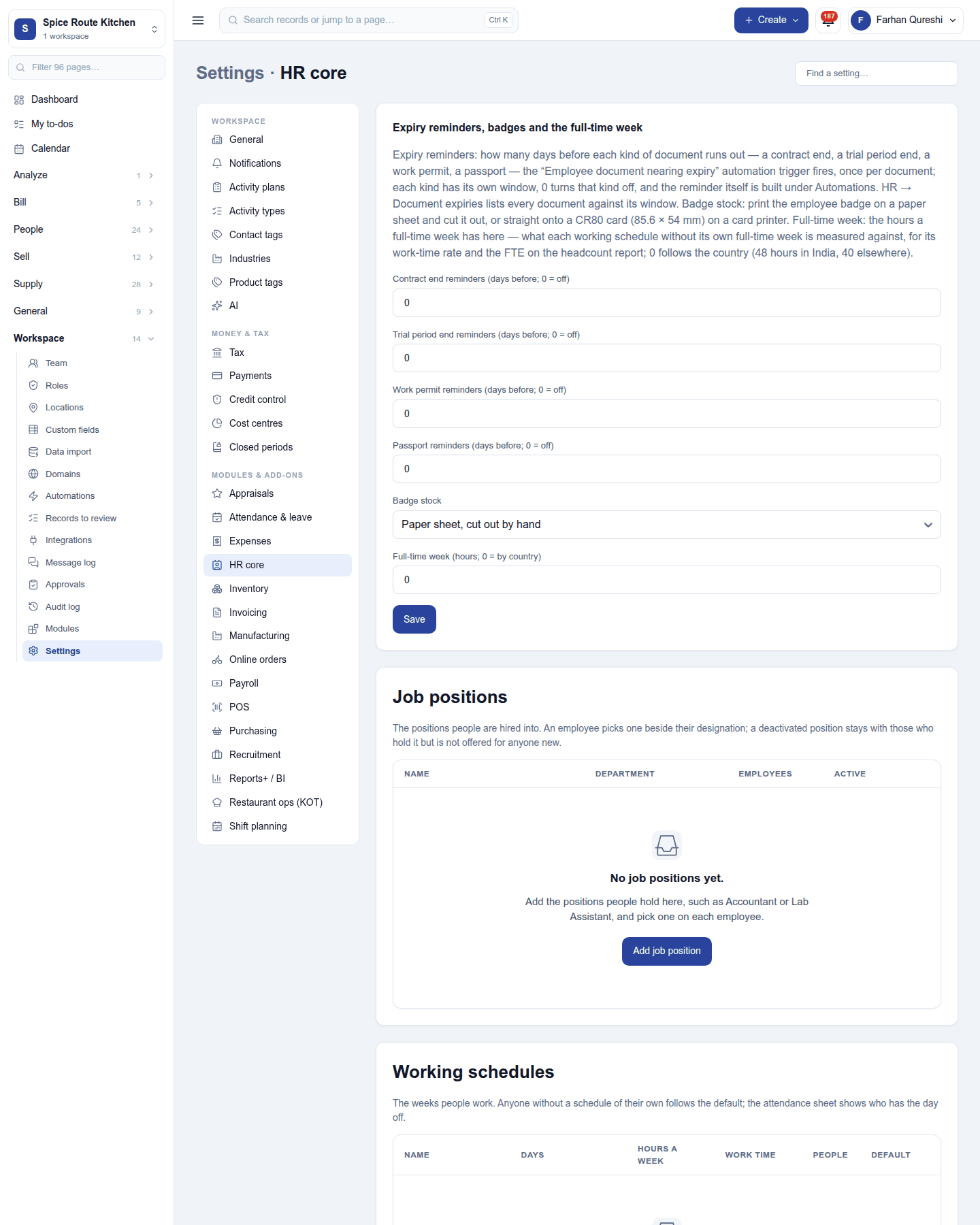
Settings → HR core:
| Setting | Default | What it does |
|---|---|---|
| Contract end reminders | 0 (off) | Days before a contract ends to remind. |
| Trial period end reminders | 0 (off) | Days before a trial period ends. |
| Work permit reminders | 0 (off) | Days before a work permit expires. |
| Passport reminders | 0 (off) | Days before a passport expires. |
| Badge stock | Sheet | Print badges on a sheet of labels or a card printer. |
| Full-time week (hours) | 0 (by country) | The hours a full-time week counts. |
The same page keeps job positions, working schedules, employee types and tags, and the employee number series.
Permissions
| Permission | Allows |
|---|---|
View HR (hr.view) |
See employee records and the organisation chart. |
Manage HR (hr.manage) |
Add and change employee records, record departures, keep departments and HR settings. |
Ready-made automations
| Name | Kind | What it does | Starts |
|---|---|---|---|
| Remind me of probation reviews | Rule | Ninety days after someone joins, tells the workspace owner a probation review is due. | On |
| Tell me when an employee document is about to expire | Rule | Tells the workspace owner before an employee's document expires. | On |
Turning it off
The HR screens leave the menu. Attendance, Payroll, Recruitment, Appraisals, Shift planning and Skills need HR core, so they must be switched off first. Records are kept.
In the desktop and mobile apps
Not carried. The restaurant apps sign staff in with their own logins and PINs, not through HR.