







































Commissions
Works out what salespeople earn on the deals they win, and keeps every commission from earned to approved to paid, including commissions for outside referrers and agents.
| At a glance | |
|---|---|
| Type | Business module |
| Group | People |
| Needs | Nothing. Automatic commissions come from won CRM deals with Quotations. |
| Included in | Manufacturing, Clinics, Wholesale & building materials, Salon & spa, Property broker |
| Offered to | Every industry pack |
| Permissions | View commissions (commissions.view), Manage commissions (commissions.manage) |
Switching it on
Workspace → Modules → Commissions → Enable (needs Manage modules). Commissions appears under People.
The screen
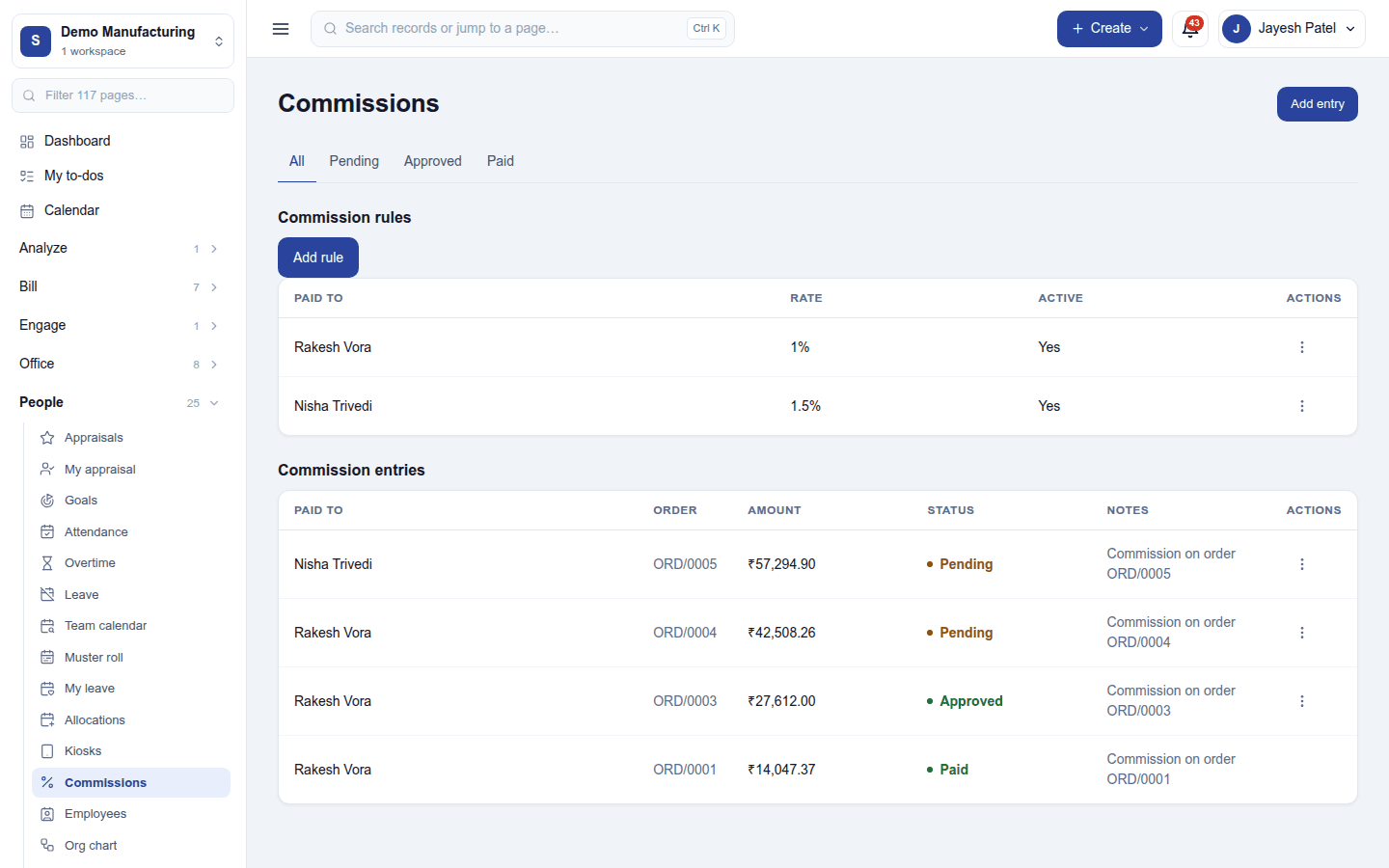
People → Commissions has two lists, and tabs that filter the entries by status: All / Pending / Approved / Paid.
Commission rules say who earns what. Add rule asks Who earns this:
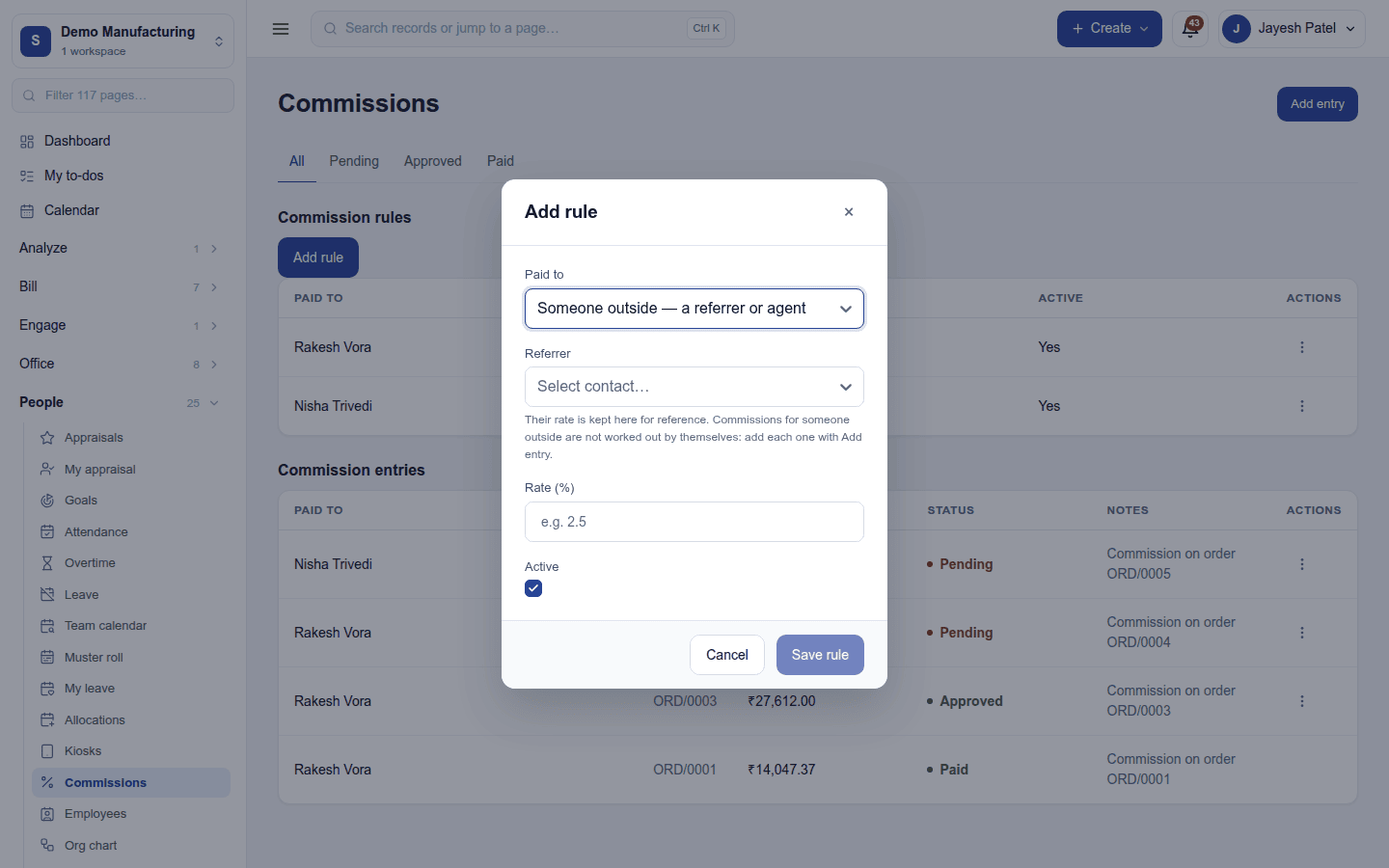
- Someone on the team: a member of the workspace (a salesperson), or
- Someone outside - a referrer or agent: a contact.
and the Rate (%) (for example 2.5) and whether the rule is Active. A rule's ⋮ menu edits or deletes it.
Commission entries are what has been earned: who it is paid to, the order, the amount, its status and notes.
How a commission is earned
Automatically, for the team: when a quotation raised from a CRM lead is accepted, the person the lead is assigned to earns their active rule's rate on the order's total. The entry starts Pending, with the note Commission on order ORD/0005. An order earns its salesperson once, however often the event arrives.
By hand: Add entry records a commission for anyone (a team member or an outside referrer or agent), with the order, amount and notes. An outside referrer's commission is always added this way: their rule records their rate, but nothing earns it automatically, and the rule form says so when Someone outside is chosen.
Approving and paying
On an entry's ⋮ menu:
- Approve: the commission is agreed. It moves to Approved.
- Mark paid: it has been paid out. It moves to Paid.
Delete removes an entry (it asks first).
Permissions
| Permission | Allows |
|---|---|
View commissions (commissions.view) |
See the rules and what has been earned. |
Manage commissions (commissions.manage) |
Set up rules, add entries, approve and mark commissions paid. |
Ready-made automations
None. Commissions are worked out from sales; no moment needs a person.
Turning it off
The screen leaves the menu and no new commissions are earned. Rules and entries are kept.
In the desktop and mobile apps
Not carried.
Related guides
- CRM, Quotations, Sales by customer and salesperson
- Module guides index