







































Contracts / AMC
Keeps service contracts, such as annual maintenance contracts (AMCs) and retainers, and bills each one by itself every month, quarter or year until it ends.
| At a glance | |
|---|---|
| Type | Business module |
| Group | Serve |
| Needs | Nothing. Each bill is an ordinary invoice. |
| Included in | Repairs & field service, Services & appointments, Security & manpower agency, Rental & hire, Contractors & site projects |
| Offered to | Every industry pack |
| Permissions | View contracts (contracts.view), Manage contracts (contracts.manage) |
Switching it on
Workspace → Modules → Contracts / AMC → Enable (needs Manage modules). Contracts / AMC appears under Serve.
Contracts
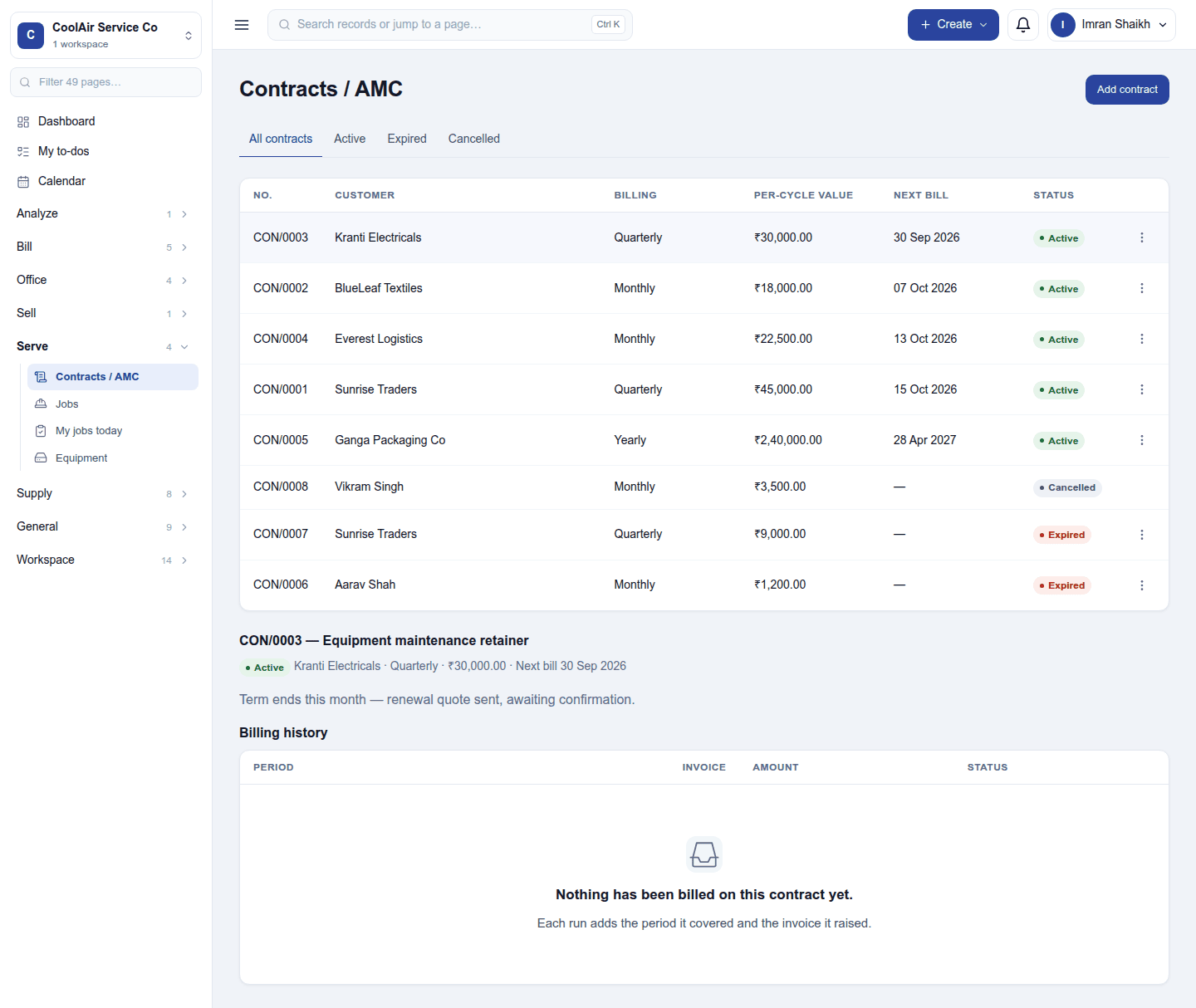
The list shows each contract's number (for example CON/0003), customer, billing interval, per-cycle value, next bill date and status. The tabs filter All contracts / Active / Expired / Cancelled. Click a contract to open it below the list, with its notes and its Billing history: each period billed, the invoice it raised and the amount.
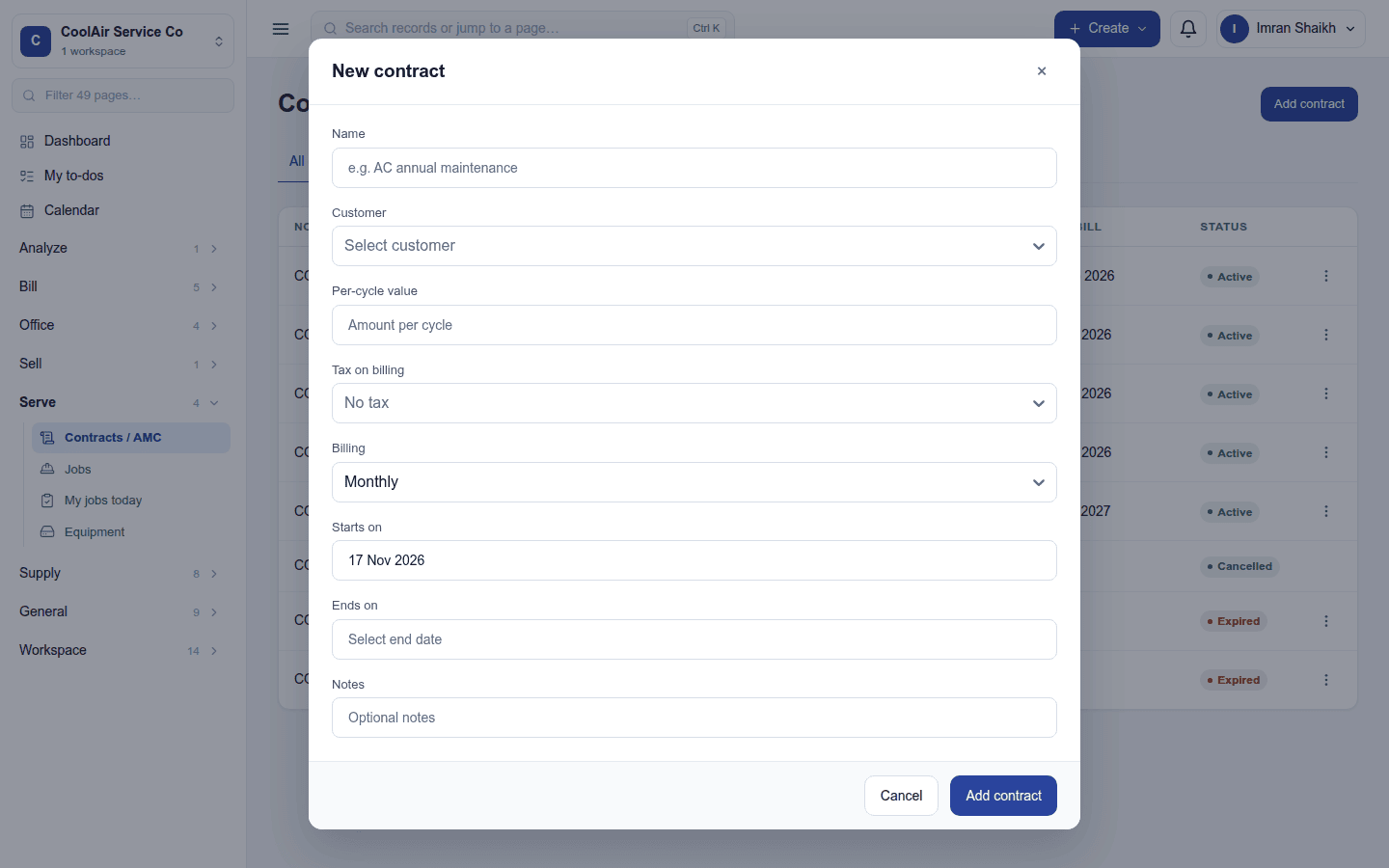
Add contract opens New contract:
| Field | What to enter |
|---|---|
| Customer | The contact the contract is with |
| Name | For example AC annual maintenance |
| Amount per cycle | What each bill is for |
| Billing | Monthly, Quarterly or Yearly |
| Starts on / Ends on | The contract's term |
| Tax on billing | The tax group each bill applies, or No tax |
| Notes | Optional |
Billing
- By itself: every morning at 08:00 on the workspace's clock, each active contract whose next bill date has come is billed: an invoice is issued for the cycle, and the next bill date moves on by one interval. A cycle is never billed twice.
- Bill now on a contract's ⋮ menu issues the invoice for the cycle due now and moves the next bill date on.
- Cancel contract stops billing at once (it asks first, and cannot be undone).
- A contract past its end date reads Expired and is no longer billed.
Each bill is an ordinary invoice: it is paid, reminded and reported like any other.
Permissions
| Permission | Allows |
|---|---|
View contracts (contracts.view) |
See contracts and their billing history. |
Manage contracts (contracts.manage) |
Create, change, bill and cancel contracts. |
Ready-made automations
| Name | Kind | What it does | Starts |
|---|---|---|---|
| Remind me a month before a contract ends | Rule | A month before an active contract ends, tells the workspace owner, in time to renew it. | On |
Turning it off
The screen leaves the menu and contracts stop billing. Contracts and the invoices already raised are kept.
In the desktop and mobile apps
Not carried.
Related guides
- Work orders, Subscriptions (recurring sales of products), Invoicing
- Module guides index