







































Visitor / frontdesk
The reception desk: checking visitors in and out, telling their host they have arrived, visitor badges, a self-service visitor kiosk, receptions per location, and the day's log, with bookings from Appointments shown as expected visitors.
| At a glance | |
|---|---|
| Type | Business module |
| Group | Office |
| Needs | Nothing. With Appointments on, the day's bookings appear as expected visitors. |
| Included in | Manufacturing, Hotel / guest house, Diagnostic lab, Clinics, Schools & colleges, Housing society, PG & student housing, Vet clinic |
| Offered to | Every industry pack |
| Permissions | View visitors (frontdesk.view), Manage visitors (frontdesk.manage), Manage visitor kiosks (frontdesk.kiosks) |
A workspace's words apply: a clinic calls it Token queue and issues tokens.
Switching it on
Workspace → Modules → Visitor / frontdesk → Enable (needs Manage modules). Front desk and Kiosks appear under Office, and Settings gains its page.
The front desk
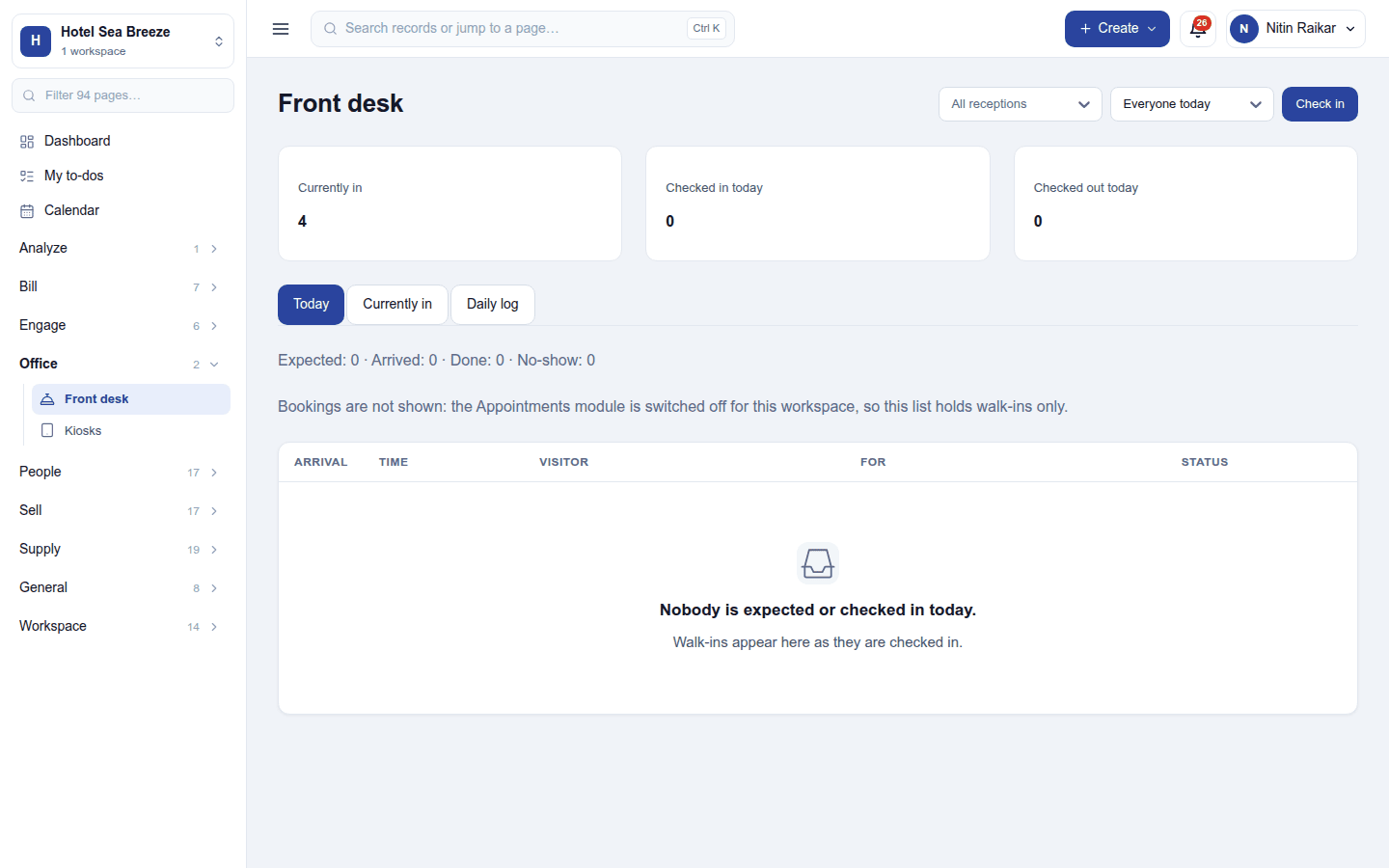
Office → Front desk shows who is currently in, who checked in today and who checked out, with tabs for Today, Currently in and the Daily log. Today's list mixes expected visitors (the day's bookings, with Appointments on) and walk-ins; filter by reception and host. Check in opens:
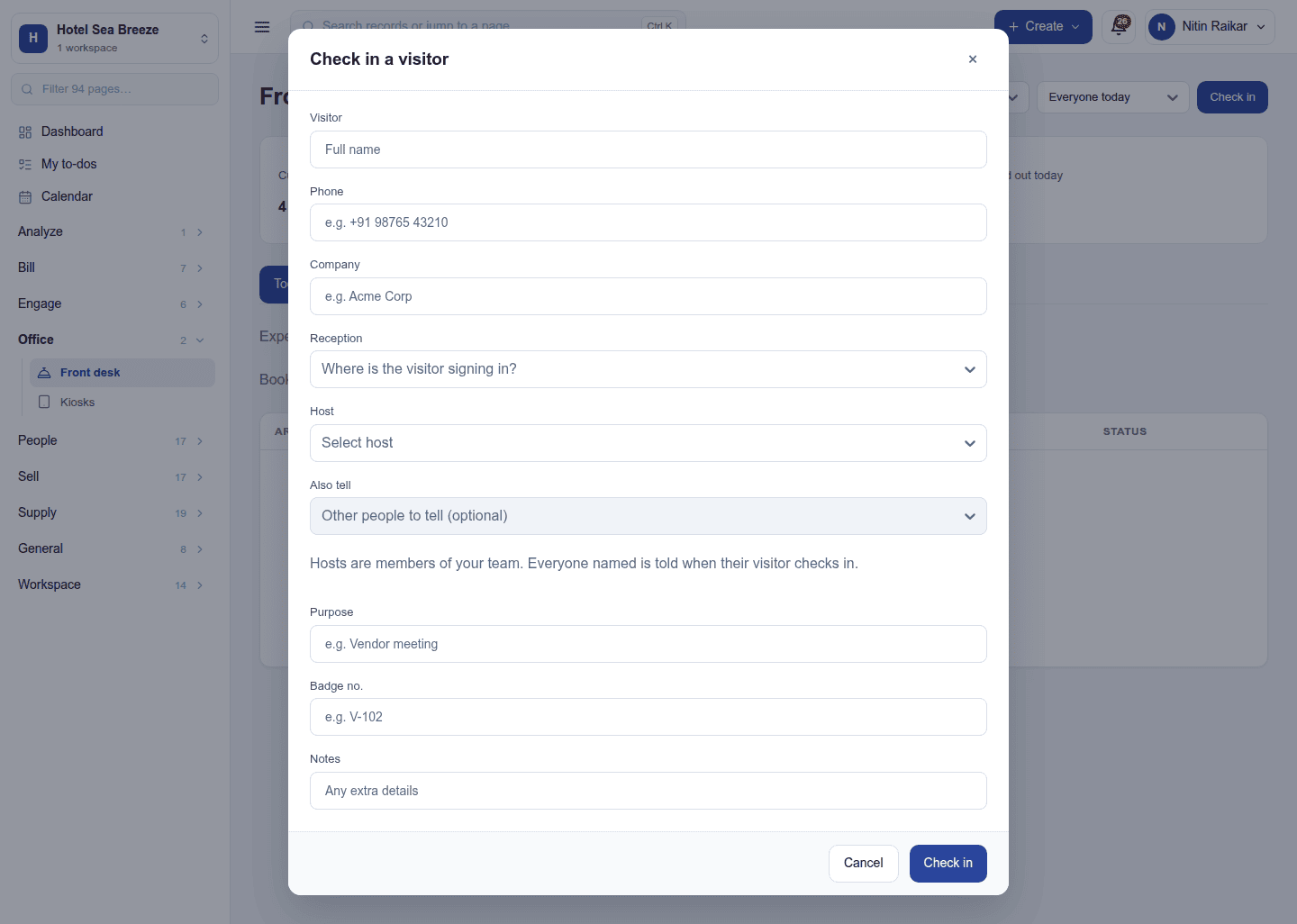
the visitor's name, phone, company, the reception they are at, the host (and anyone else to tell), the purpose, a badge number and notes. The host is told at once (on the bell, and by email if set). A visitor's row then offers Check out and Print badge. Visitors still in late are checked out by themselves.
Visitor kiosks
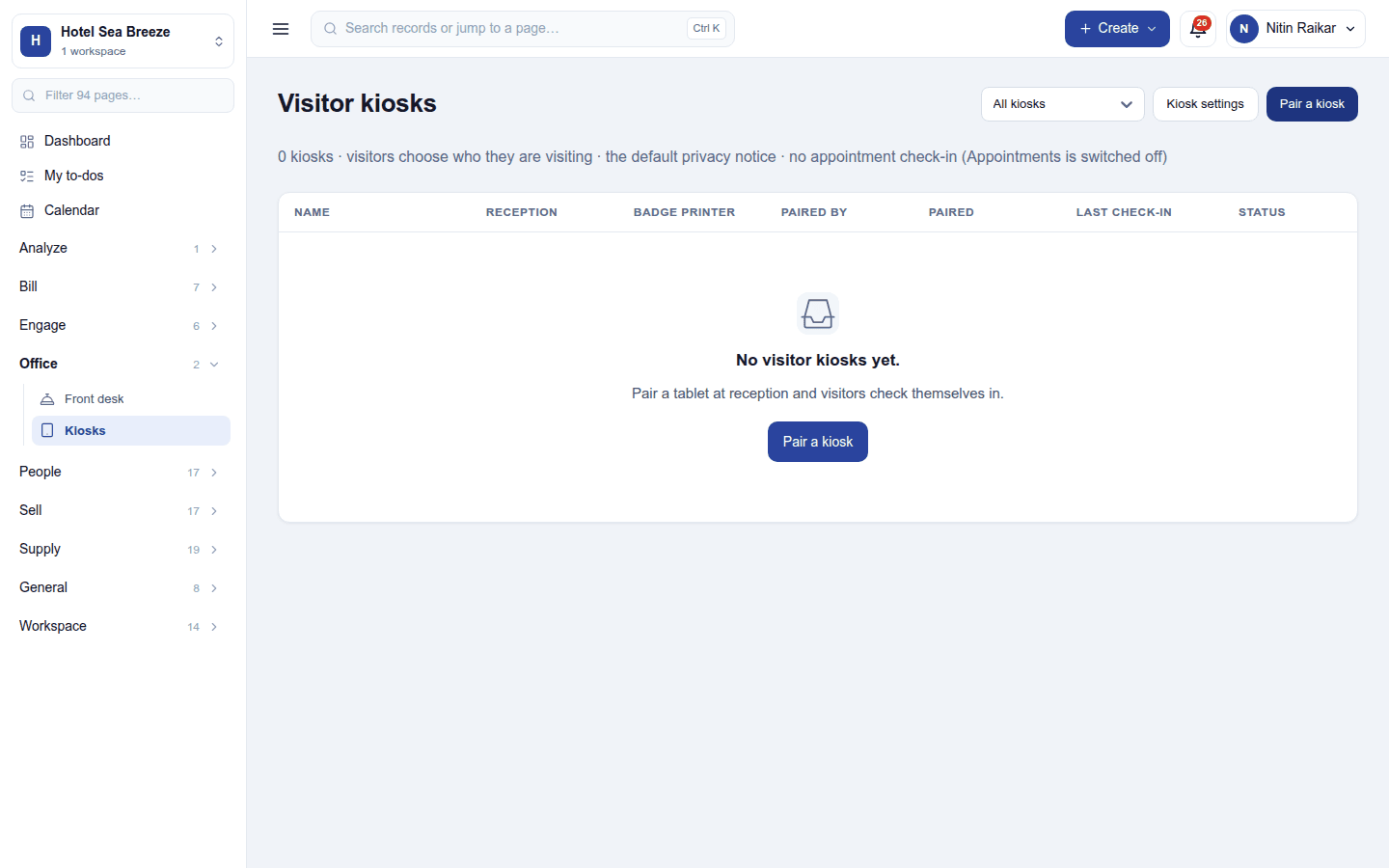
Office → Kiosks pairs tablets at reception where visitors check themselves in: they choose who they are visiting, agree to the privacy notice, and a visitor with a booking checks in by its code.
Settings
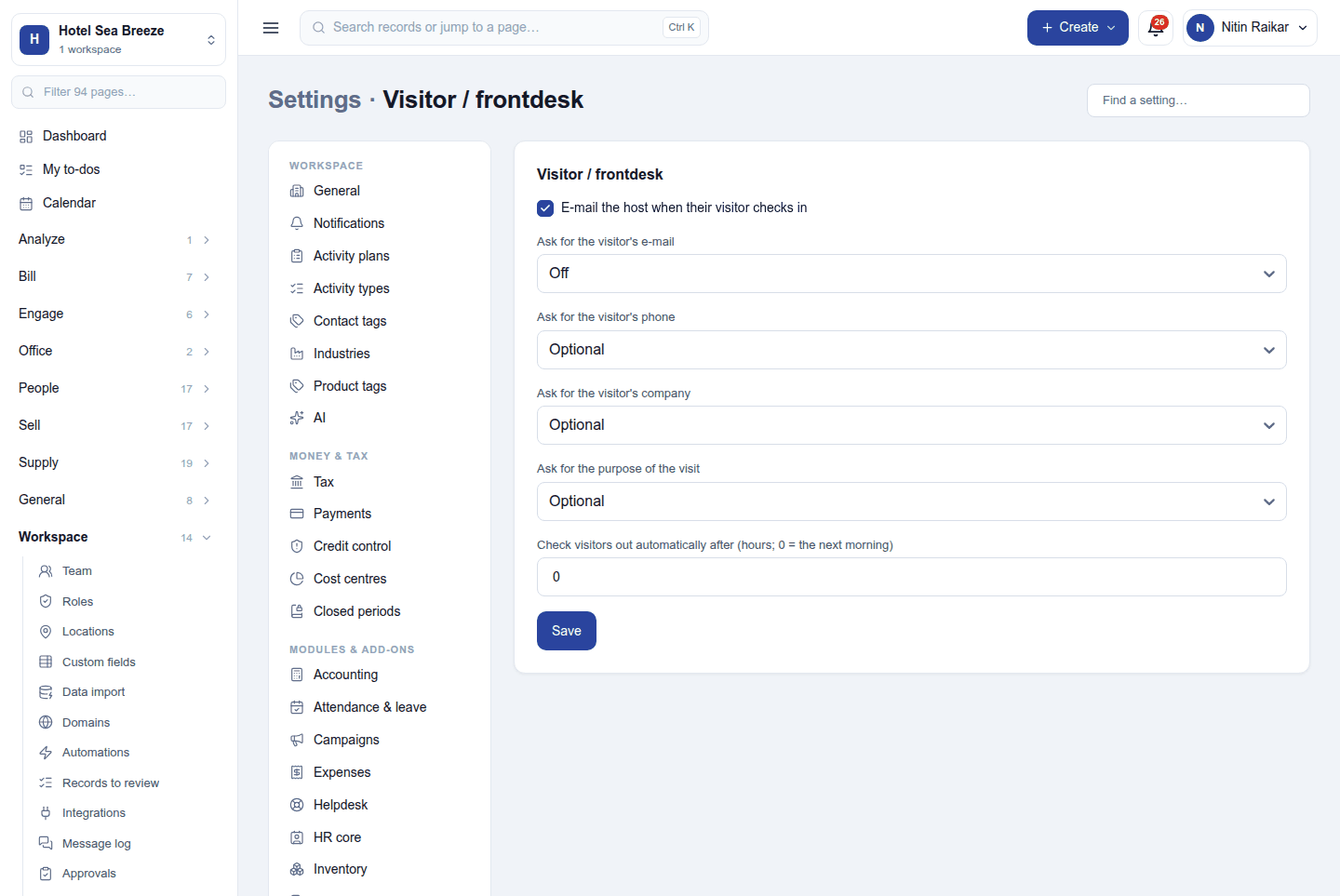
Settings → Visitor / frontdesk:
| Setting | Default | What it does |
|---|---|---|
| E-mail the host when their visitor checks in | On | |
| Ask for the visitor's e-mail / phone / company / purpose | Off / optional / optional / optional | Each off, optional or required. |
| Check visitors out automatically after (hours) | 0 (the next morning) |
Permissions
| Permission | Allows |
|---|---|
View visitors (frontdesk.view) |
See the visitor log. |
Manage visitors (frontdesk.manage) |
Check visitors in and out and tell their hosts. |
Manage visitor kiosks (frontdesk.kiosks) |
Pair kiosks and set what they ask. |
Ready-made automations
None. The host is told about each visitor already.
Turning it off
The front desk and kiosks leave the menu. The visitor log is kept.
In the desktop and mobile apps
Not carried.