







































Live chat
A chat widget on the workspace's website and shop, and the team's inbox for the conversations: operators and their availability, automatic assignment and hand-over, canned responses, internal notes, a scripted chatbot that greets, asks and turns visitors into leads, WhatsApp conversations, ratings and reports.
| At a glance | |
|---|---|
| Type | Business module |
| Group | Engage |
| Needs | Nothing. WhatsApp conversations need WhatsApp (Meta). |
| Included in | Shops & counters, E-commerce, Website |
| Offered to | Every industry pack |
| Permissions | View live chat (live_chat.view), Manage live chat (live_chat.manage) |
Switching it on
Workspace → Modules → Live chat → Enable (needs Manage modules). Live chat appears under Engage, and the chat widget can be put on the website and shop.
The inbox
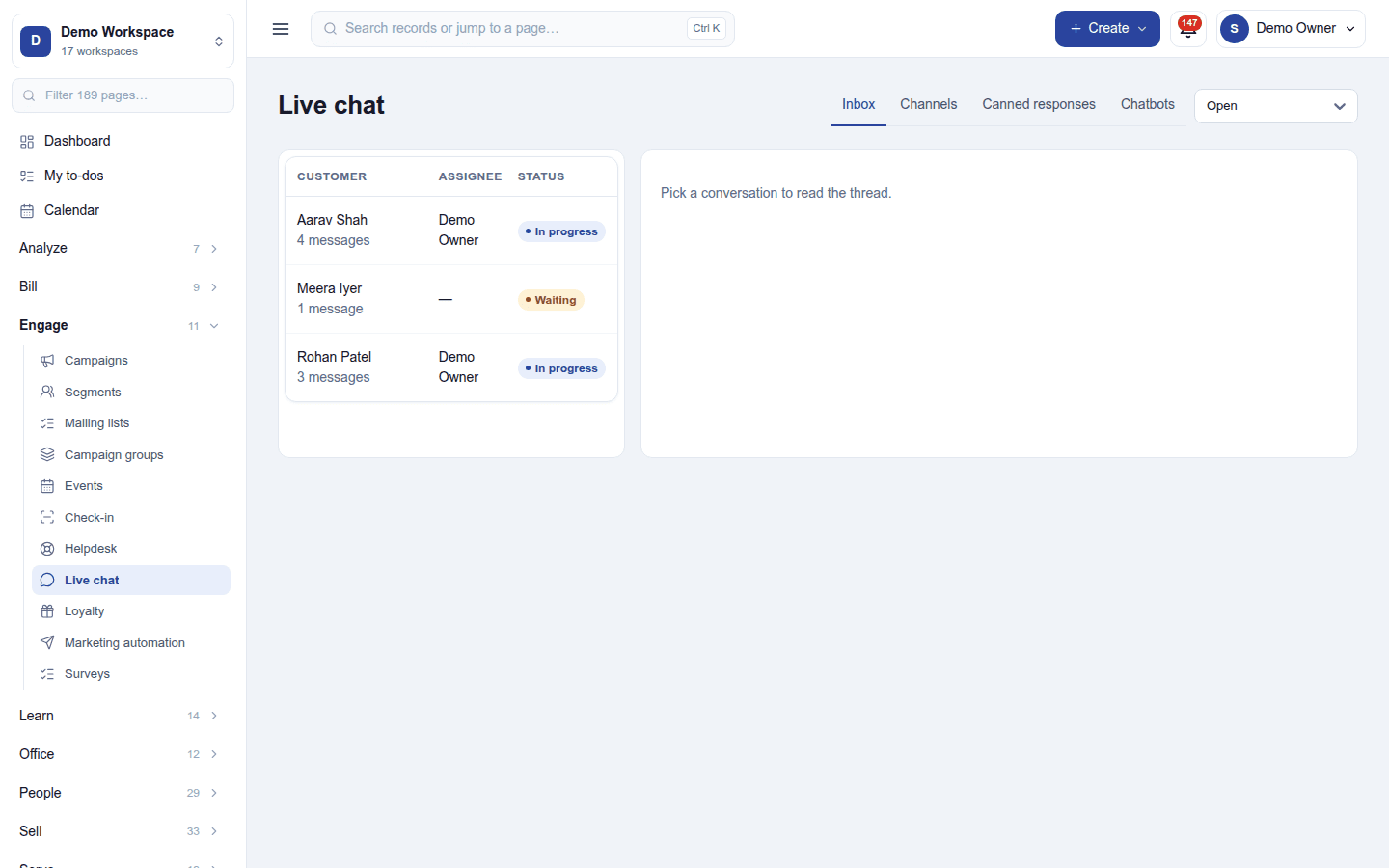
Engage → Live chat opens on the Inbox: conversations with the customer, the assignee and the status (Waiting, In progress), filtered Open or Closed. Pick one to read the thread and reply; new messages arrive live. A conversation can be assigned, handed to a colleague, noted internally (notes never reach the visitor), turned into a lead (Make lead) or a ticket (Make ticket), its transcript emailed, and closed; the visitor can then rate it.
A message to the workspace's WhatsApp number opens a WhatsApp conversation in the same inbox, when WhatsApp is connected.
The page's tabs:
- Channels: each website widget (its look, greeting, the operators who answer it, and availability hours), with the snippet to put it on a site.
- Canned responses: ready answers called up with a shortcut.
- Chatbots: scripts that greet visitors, ask questions, collect a name and email, create a lead, and hand over to a person.
Permissions
| Permission | Allows |
|---|---|
View live chat (live_chat.view) |
See the conversations. |
Manage live chat (live_chat.manage) |
Answer chats; set up channels, canned responses and chatbots. |
Ready-made automations
| Name | Kind | What it does | Starts |
|---|---|---|---|
| Tell people when a chat is handed to them | Rule | Tells the person a chat is assigned to. | On |
Turning it off
The inbox leaves the menu and the widget disappears from the website. Conversations are kept; incoming WhatsApp messages are filed on the contact's timeline instead.
In the desktop and mobile apps
Not carried.