







































Staff meals
Runs lunch for the team: meal vendors with their menus and order cut-off times, staff ordering their own lunch, the day's orders sent to each vendor, meal accounts that pay for lunch (or a salary deduction), and lunch alerts.
| At a glance | |
|---|---|
| Type | Business module |
| Group | People |
| Needs | Nothing. Paying through the salary needs Payroll. |
| Included in | Shops & counters (pharmacy) |
| Offered to | Every industry pack |
| Permissions | Manage staff meals (staff_meals.manage), Order staff meals (staff_meals.order) |
Switching it on
Workspace → Modules → Staff meals → Enable (needs Manage modules). Order lunch appears under People for everyone who orders; Lunch orders, Meal accounts, Lunch alerts and Meal vendors for whoever runs staff meals. Settings gains a Staff meals page.
Meal vendors
People → Meal vendors lists each caterer or canteen: the time orders close (on the workspace's clock), the days it serves, the places it serves, its dishes, and today's state (Orders open, Orders closed, Not today, Switched off). Add vendor:
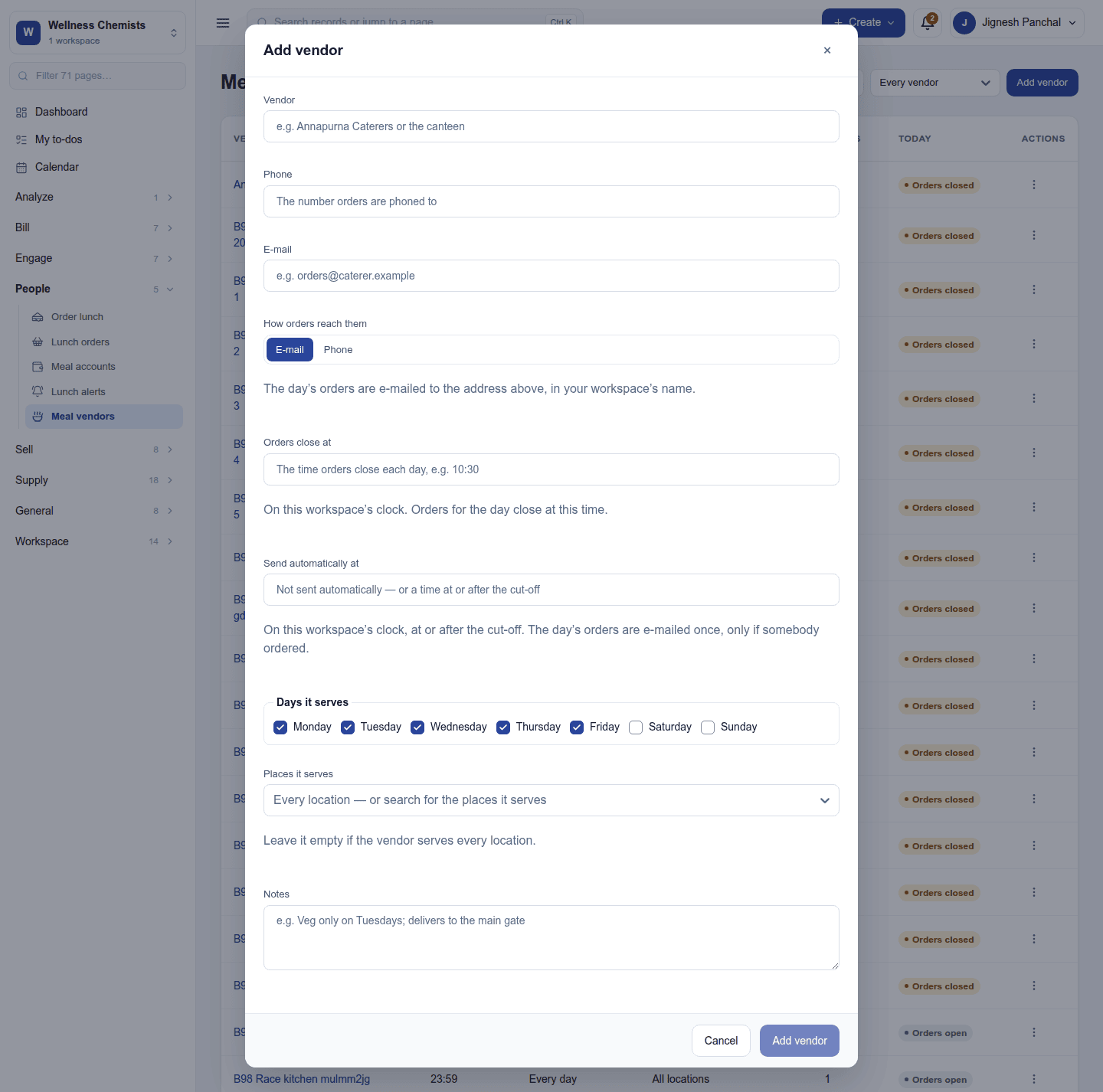
A vendor's page keeps its menu of dishes with prices (Add dish) and the extras (a drink, a dessert) offered with them.
Ordering lunch
People → Order lunch shows each vendor open today with its dishes. Pick a dish, the extras and how many plates, and Order, before the vendor's cut-off. The order is paid from your meal account, which may go below zero only as far as the overdraft limit. An order can be cancelled until the cut-off.
Running lunch
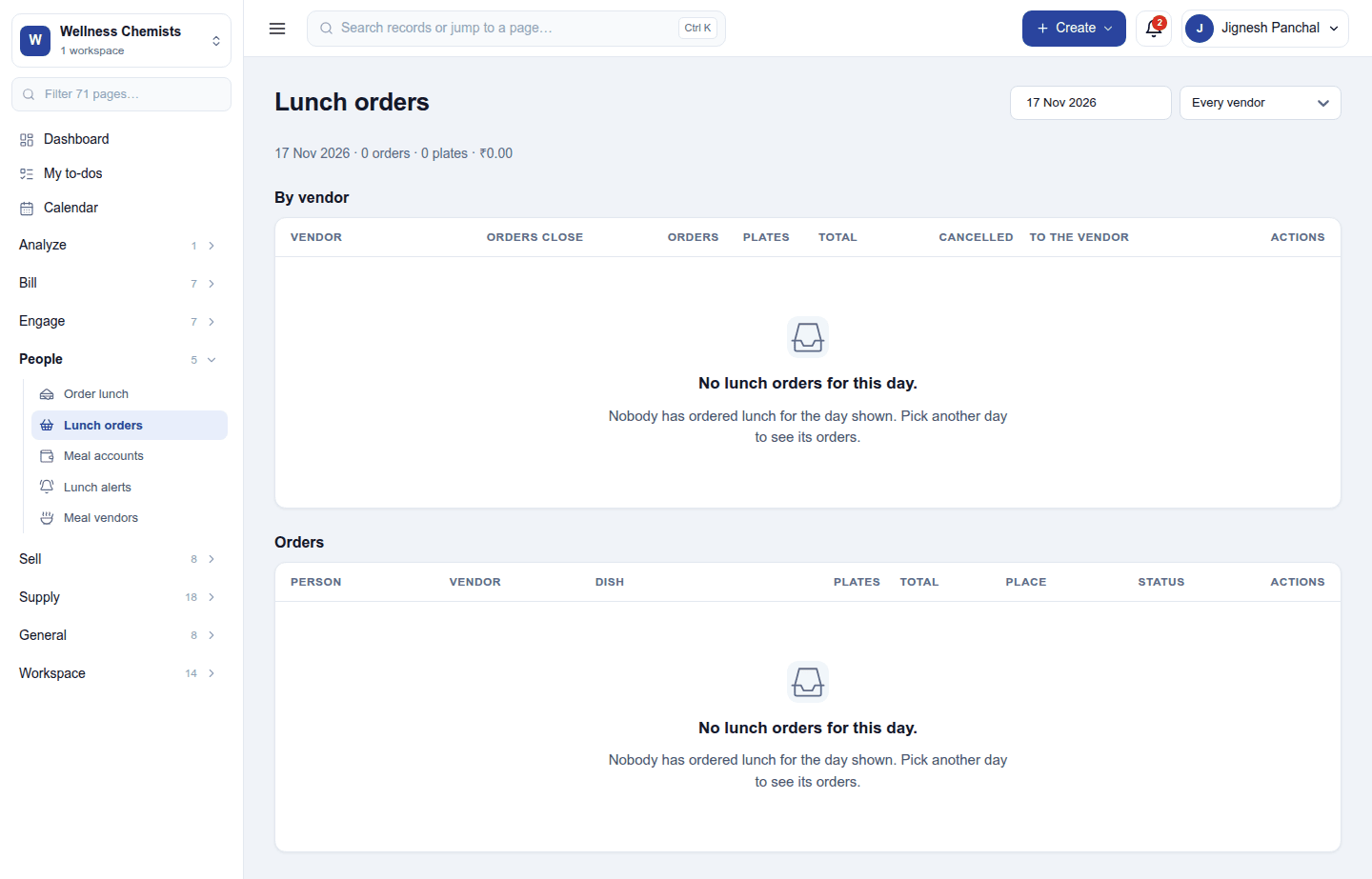
- Lunch orders: the day's orders by vendor (orders, plates, total, cancelled) and one by one; send to the vendor passes the day's order on.
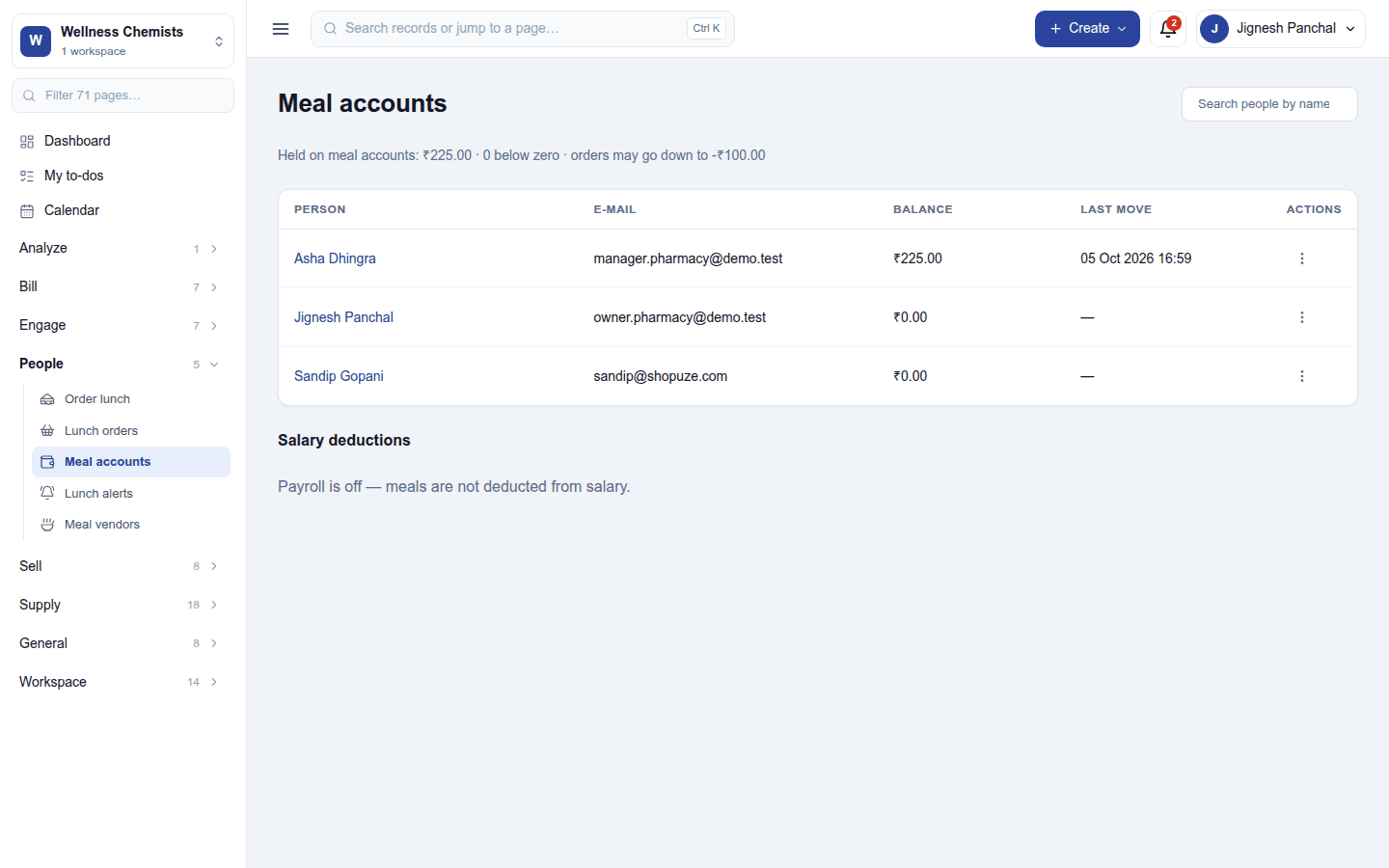
- Meal accounts: each person's balance and last movement. Add to the account tops one up.
- Lunch alerts: messages to staff (by notification, or WhatsApp with a template) such as Lunch is served in the canteen from 1 pm.
Settings
Settings → Staff meals:
| Setting | Default | What it does |
|---|---|---|
| How lunch is paid for | Meal account | The meal account (a wallet), or deducted from salary by Payroll. |
| Meal account overdraft limit | 0 | How far below zero an account may go. |
| Lunch message sent on arrival | (none) | The message staff get when lunch arrives. |
| WhatsApp template and language for lunch alerts | (none) | For alerts sent by WhatsApp. |
Permissions
| Permission | Allows |
|---|---|
Manage staff meals (staff_meals.manage) |
Keep vendors, menus and extras, run lunch orders, accounts and alerts. |
Order staff meals (staff_meals.order) |
Order one's own lunch. |
Ready-made automations
None. Meal alerts and vendor orders are sent on their own.
Turning it off
The lunch screens leave the menu. Vendors, orders and account balances are kept.
In the desktop and mobile apps
Not carried.