







































Payments
The register of money received and paid back: every receipt against an invoice, every advance deposit, every refund, whether taken by hand or through the workspace's own payment gateway.
| At a glance | |
|---|---|
| Type | Business module |
| Group | Bill |
| Needs | Nothing |
| Included in | Every pack that sells |
| Offered to | Every industry pack |
| Permissions | Core: Record payments (payments.record) |
What the module is, and is not
Payments themselves are Core: the till, the online shop, an invoice's Record payment and a gateway checkout all record payments with or without this module. The Payments module switches on the Payments screen, the register over them. Its permission is the Core Record payments.
Switching it on
Workspace → Modules → Payments → Enable (needs Manage modules). Payments appears under Bill.
The register
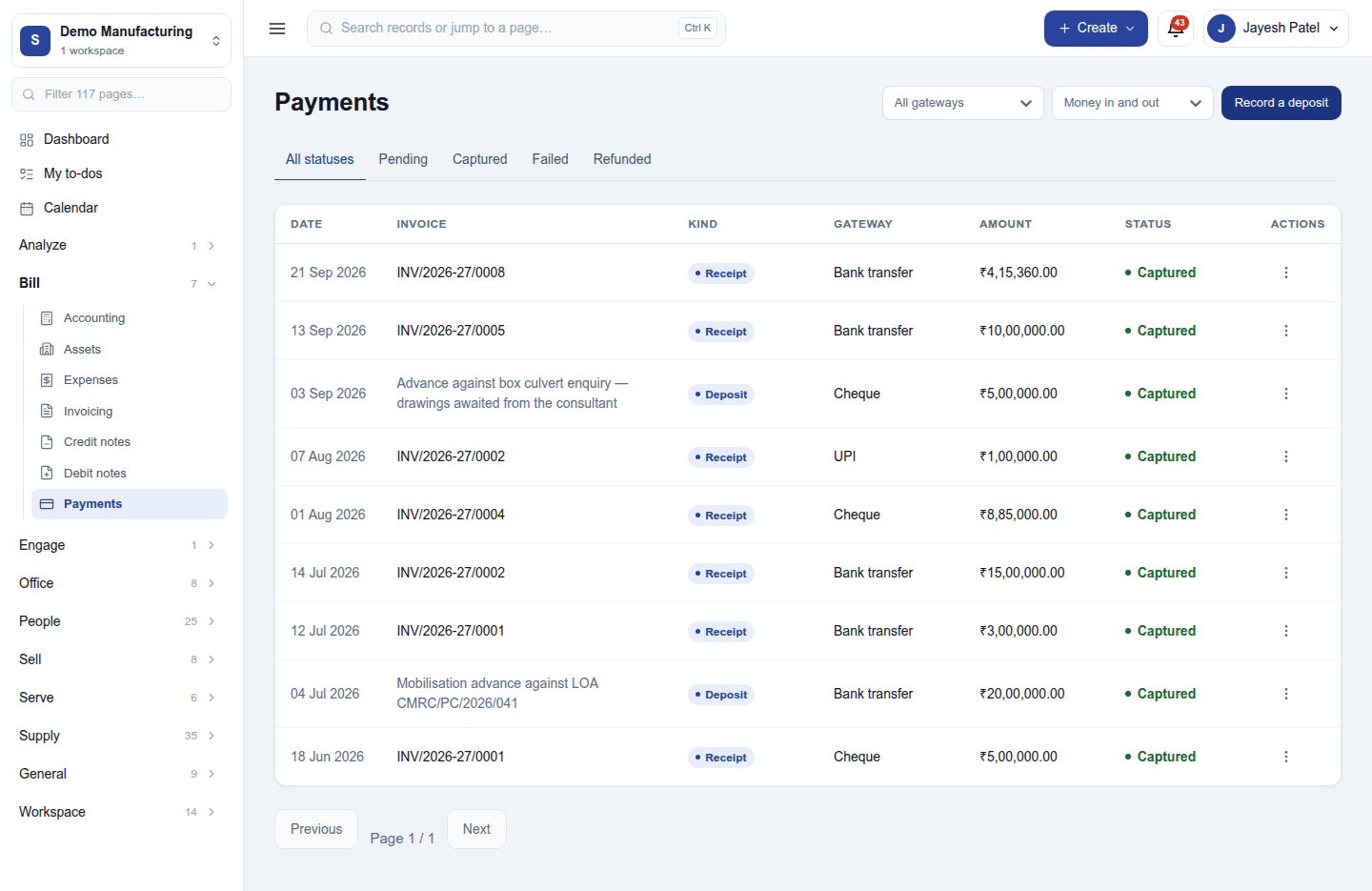
Bill → Payments lists every payment: date, the invoice (or what an advance was for), kind (Receipt, Deposit, refund), how it came (bank transfer, cheque, UPI, card, cash or the gateway), amount and status. The tabs filter All statuses / Pending / Captured / Failed / Refunded; the header filters by gateway and by money in or out.
A payment's ⋮ menu offers Download receipt (the payment receipt, or the advance receipt voucher) and Record TDS on a deposit the customer took tax off.
Recording an advance
Record a deposit takes money before there is an invoice: a booking deposit, a retainer, an advance. Apply it to invoices later, from the invoice's Apply advance.
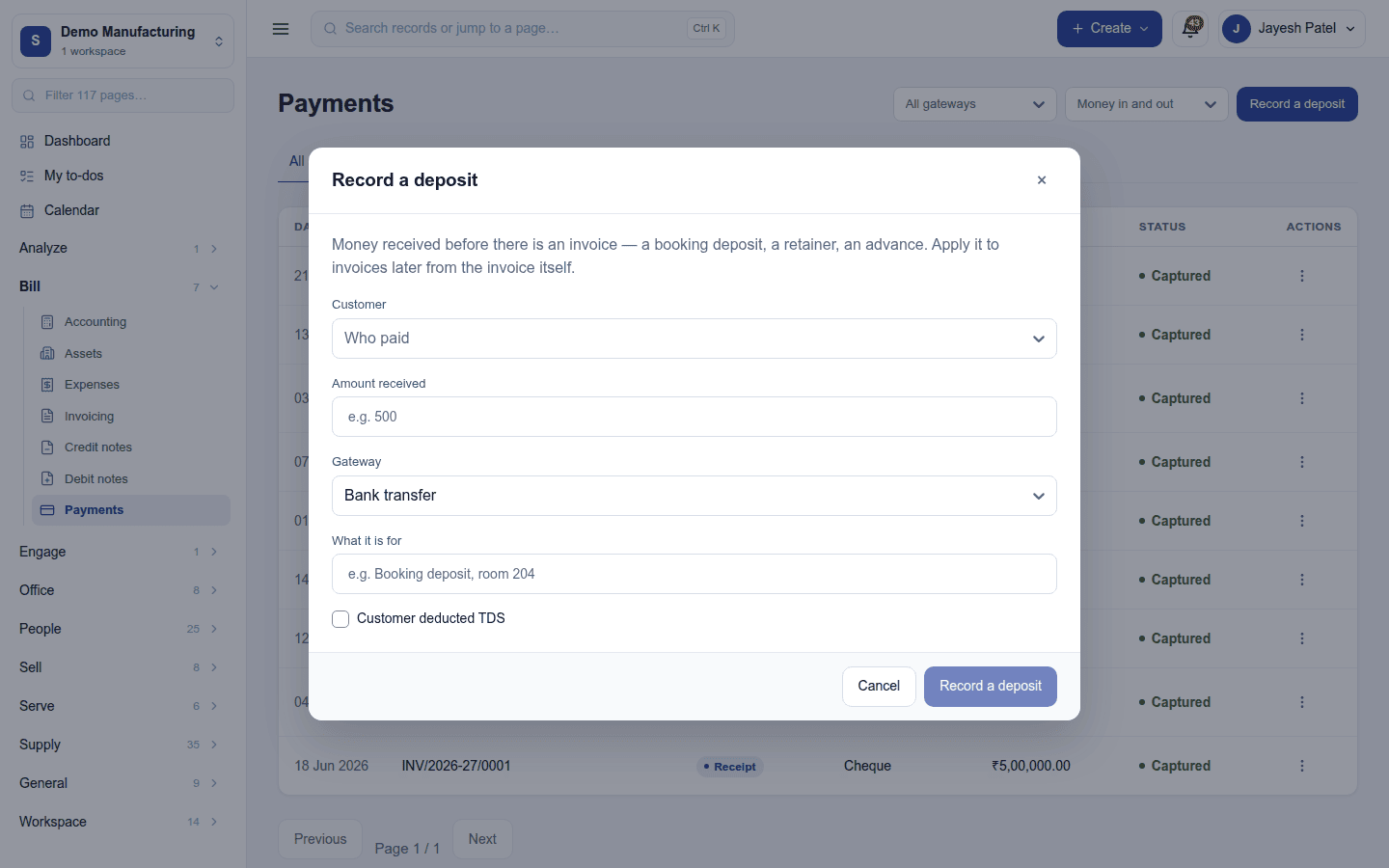
| Field | What to enter |
|---|---|
| Customer | Who paid |
| Amount received | What came in |
| Gateway | How it came: bank transfer, cash, UPI, cheque … |
| What it is for | For example Booking deposit, room 204 |
| Customer deducted TDS | Tick when the customer paid less because they withheld tax |
Payments against an invoice are recorded from the invoice itself (Invoicing).
Taking payments online
Settings → Payments connects the workspace's own Razorpay or Stripe account, so customers pay straight into it: the key, the secret (write-only), the webhook secret and the webhook address to give the gateway. Accept payments through the gateway switches online checkout on. One gateway is active at a time.
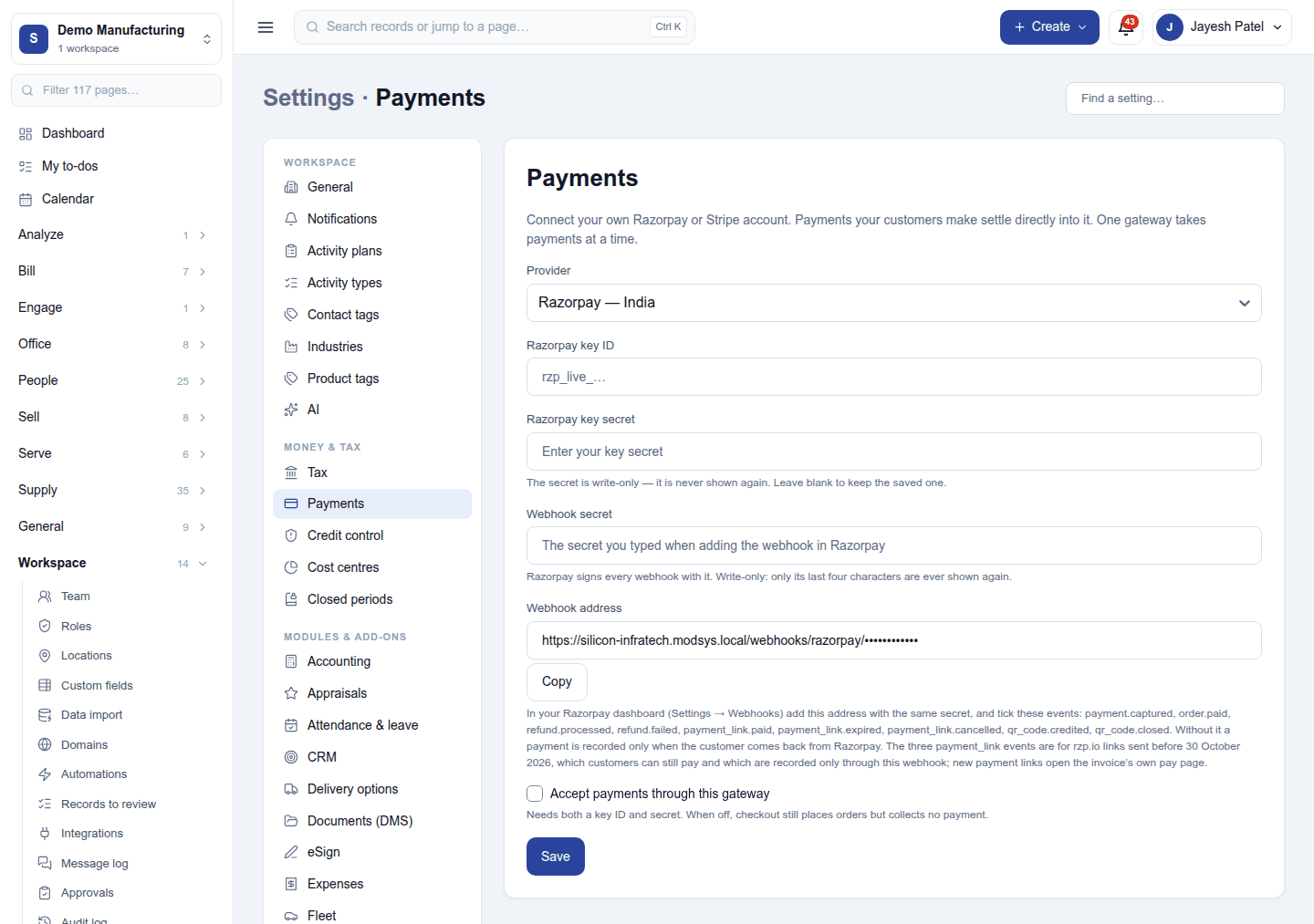
With a gateway on, an invoice can be paid on its own pay page, the online shop takes cards and UPI, and refunds go back through the gateway. A payment that arrives after a bill was already settled is refunded by itself.
Permissions
| Permission | Allows |
|---|---|
Record payments (payments.record) |
See the register, record deposits and TDS, download receipts. |
The gateway settings need Manage settings.
Ready-made automations
| Name | Kind | What it does | Starts |
|---|---|---|---|
| Tell me when a payment fails | Rule | Tells the workspace owner when a customer's payment fails, so another way to pay can be offered. | On |
Turning it off
The Payments screen leaves the menu. Payments keep being recorded by invoices, the till and the gateway.
In the desktop and mobile apps
The restaurant desktop app takes payment at the till (cash, a static UPI QR to be confirmed later, a card terminal slip, or on account), offline included; those reach the register when they sync. The register itself is not in the app.