







































Helpdesk
Answers customers' support requests as tickets: from email, the portal, a public support form, a phone call or the team; assigned to support teams and agents, replied to publicly or noted internally, held to service-level targets, rated by the customer, and closed when inactive.
| At a glance | |
|---|---|
| Type | Business module |
| Group | Engage |
| Needs | Nothing. Public replies go out through an email sender; time on tickets reaches Timesheets. |
| Included in | Shops & counters, E-commerce, Hotel, Diagnostic lab, Clinics, Services & appointments, Schools & colleges, Housing society, PG & student housing |
| Offered to | Every industry pack |
| Permissions | View helpdesk (helpdesk.view), Manage helpdesk (helpdesk.manage), See every agent's helpdesk figures (helpdesk.view_agents) |
Switching it on
Workspace → Modules → Helpdesk → Enable (needs Manage modules). Helpdesk appears under Engage, and Settings gains a Helpdesk page.
Tickets
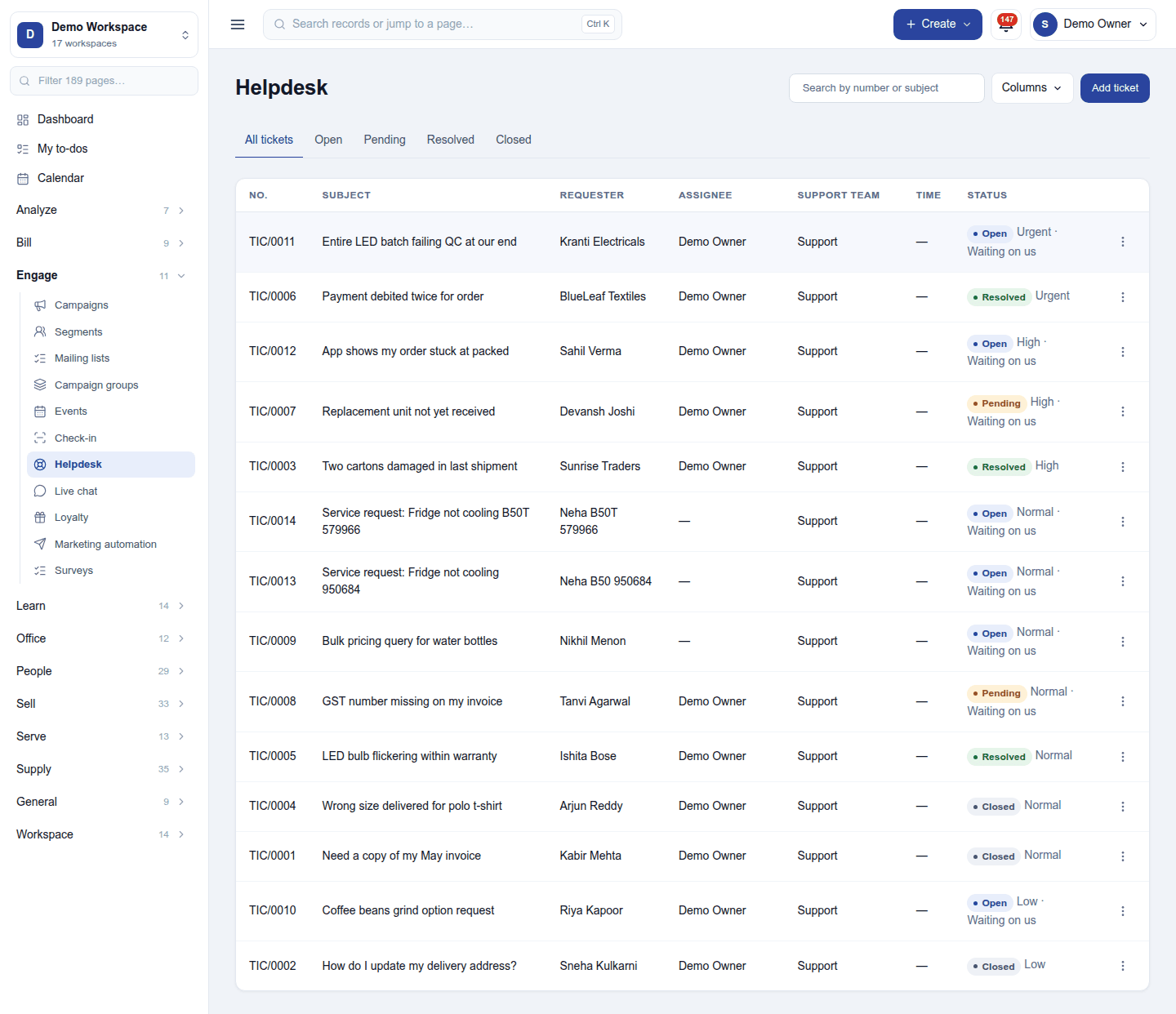
Engage → Helpdesk lists tickets (TIC/0011) with the subject, requester, assignee, support team, time spent and status, with priority and Waiting on us or Waiting on them. The tabs filter All tickets / Open / Pending / Resolved / Closed; search by number or subject, and choose the Columns. Add ticket records one by hand.
Tickets also arrive by themselves: an email to the workspace's support address, the customer portal's My requests, the public contact support form, and a service request from a job.
Click a ticket to open it below the list:
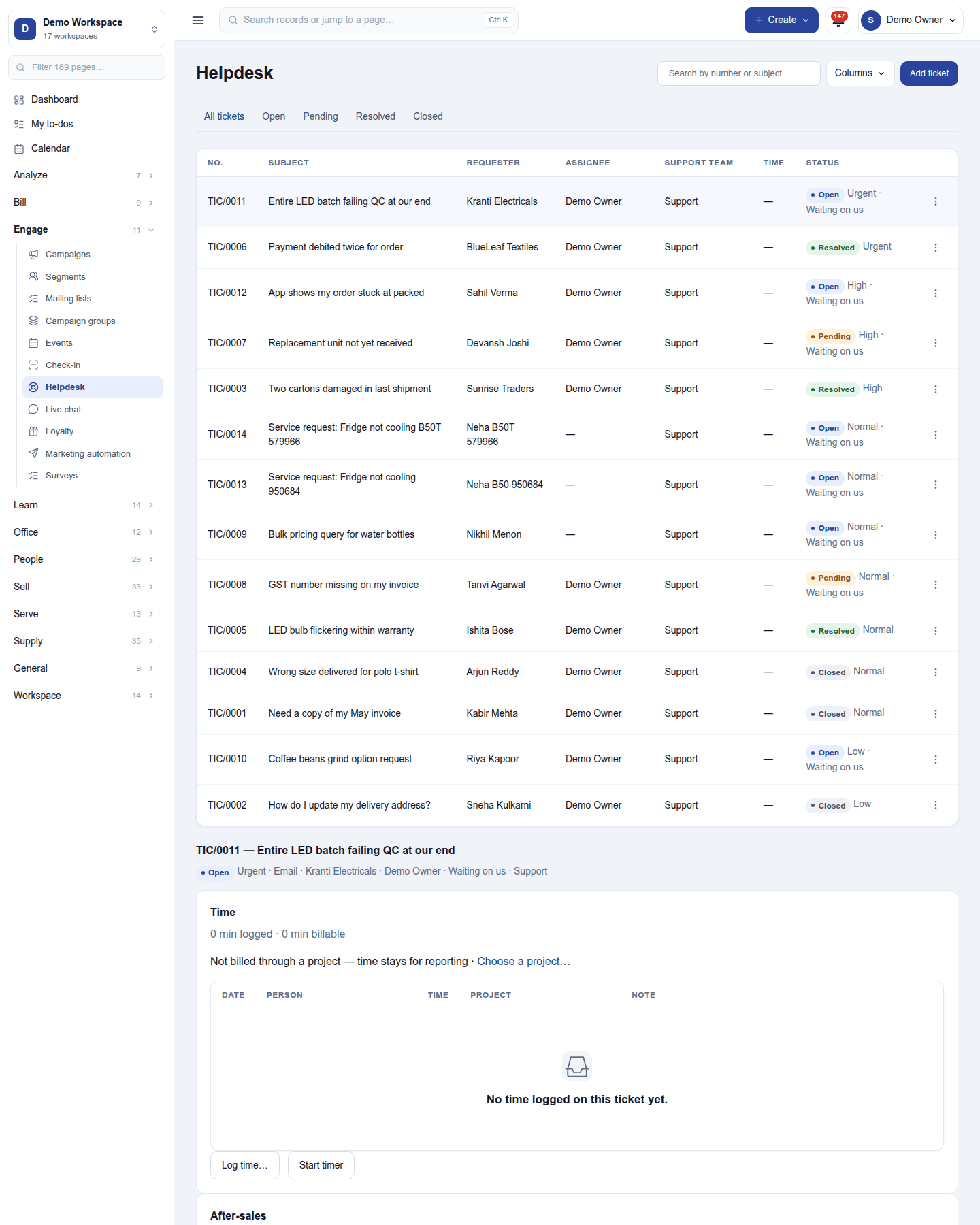
- Public reply: emailed to the requester from the workspace's own sender, with the ticket number in the subject. A canned reply fills in common answers.
- Internal note: seen only by the team.
- Status, priority, team, assignee, tags and the workspace's own ticket fields.
- Time: time logged on the ticket (with a timer), which can reach a timesheet.
- After-sales: from the sale the ticket is about, issue a credit note or return, open a work order (a service job), or make a single-use coupon for the customer.
When a ticket is resolved, the requester is asked to rate the work (if switched on). Inactive tickets can close by themselves.
Settings
Settings → Helpdesk:
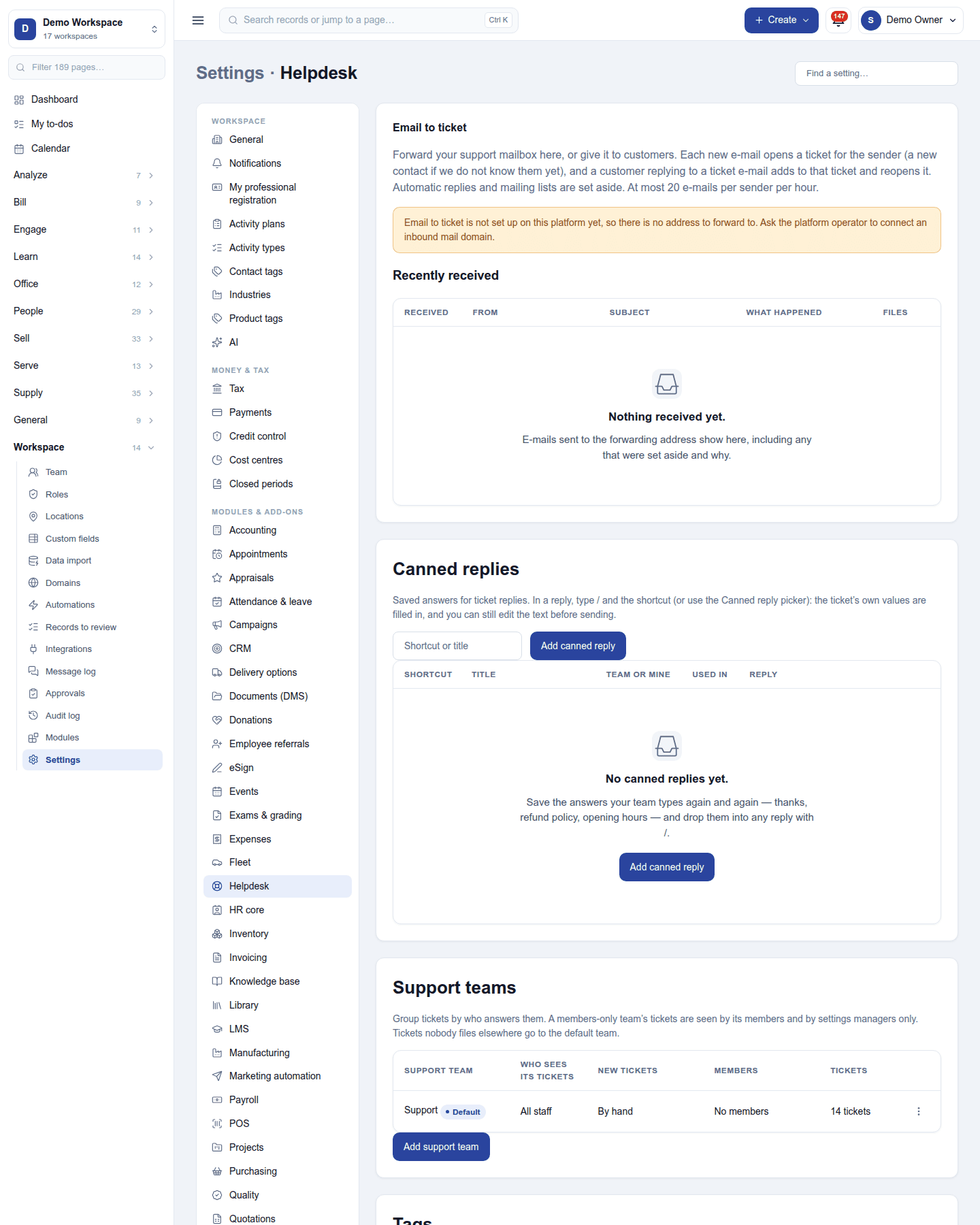
- Email to ticket: the private address that turns mail into tickets, with the recently received.
- Canned replies: ready answers, with placeholders.
- Support teams: who is in each, which tickets they see, and how new tickets are assigned: by hand, each member in turn (round-robin) or to whoever has the fewest open tickets; the two automatic modes need the plan's round-robin feature.
- Tags for tickets.
- Service-level targets (SLA): policies such as first response within 4 hours for urgent tickets, counted in support hours, with agent targets.
- Closing inactive tickets: which tickets resolve by themselves after how long.
- Ratings: ask the requester to rate the work when a ticket is resolved.
Reports
Reports → Helpdesk has ticket analysis, SLA results, ratings and per-agent figures (everyone's with See every agent's helpdesk figures, else your own).
Permissions
| Permission | Allows |
|---|---|
View helpdesk (helpdesk.view) |
See tickets, replies and ratings. |
Manage helpdesk (helpdesk.manage) |
Answer, assign and close tickets; set up teams, canned replies, SLAs and the email address. |
See every agent's helpdesk figures (helpdesk.view_agents) |
Every agent's row in the helpdesk reports, and agents' targets. |
Ready-made automations
| Name | Kind | What it does | Starts |
|---|---|---|---|
| Tell me about new support tickets | Rule | Tells the person a new ticket is assigned to, and the workspace owner. | On |
Turning it off
Helpdesk leaves the menu, the support address stops making tickets, and the portal's My requests goes. Tickets are kept.
In the desktop and mobile apps
Not carried.