







































LMS (courses)
Builds courses out of lessons and quizzes, runs them in batches (classes), lets learners take them from the customer portal, sells places on paid courses, and issues certificates.
| At a glance | |
|---|---|
| Type | Business module |
| Group | Learn |
| Needs | Nothing (learners take courses through the customer portal) |
| Included in | Schools & colleges, Classes & coaching, Corporate training |
| Offered to | Every industry pack |
| Permissions | View courses (lms.view), Manage courses (lms.manage) |
The menu uses the workspace's words: a school sees Learning and Batches, others Courses and Batches.
What it does
A course has an outline of sections and lessons. A lesson is an article, a video, a document, a link or a quiz. Learners are enrolled into a batch (a class of the course, with dates and a capacity) and work through the lessons; their progress is kept per lesson. A course can ask for other courses to be completed first, can give a certificate, and can be paid, in which case paying the invoice enrols the learner.
Switching it on
Workspace → Modules → LMS → Enable (needs Manage modules). The course and batch screens appear under Learn, and Settings → Courses gains course tags and learner messages.
Courses
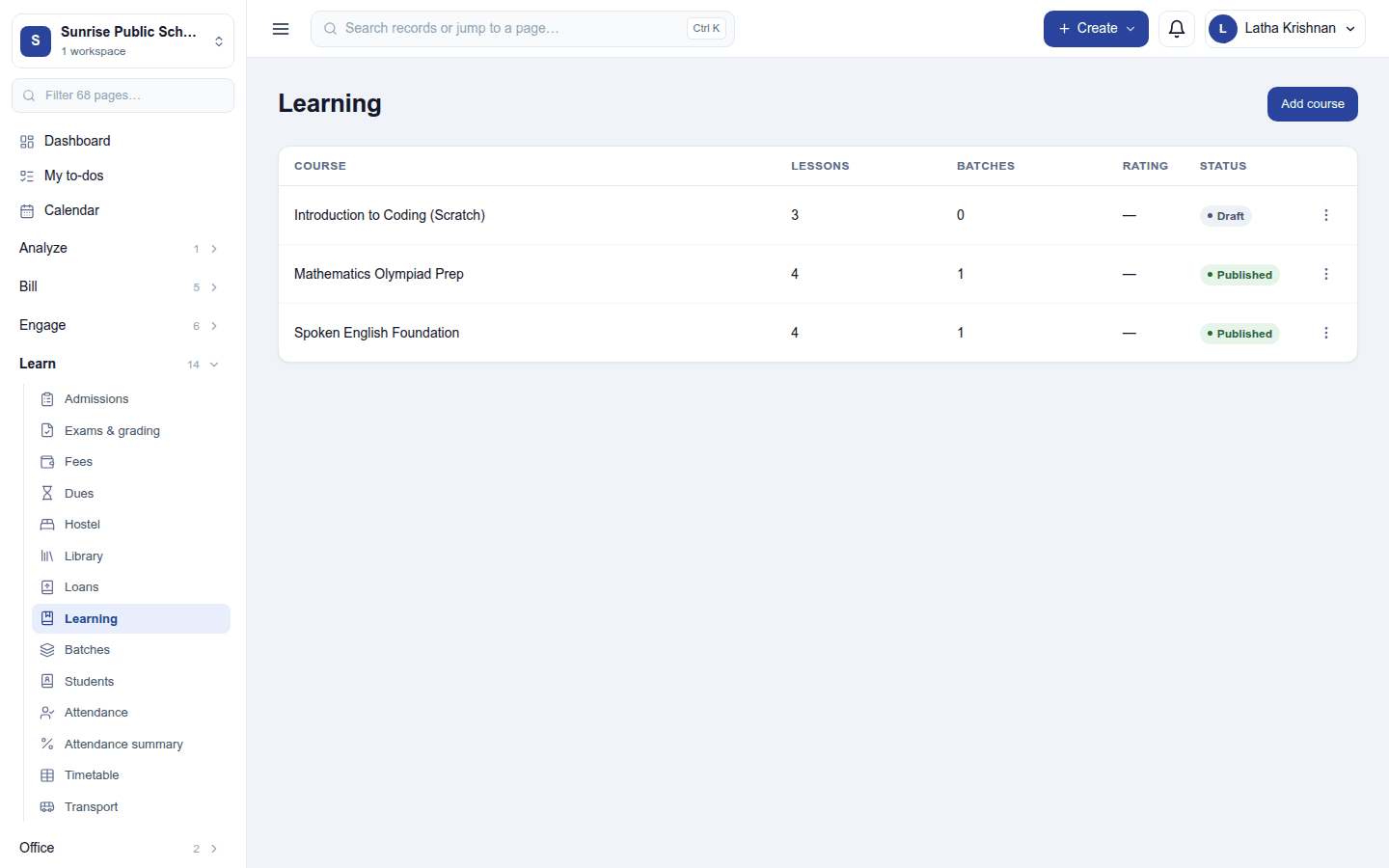
The course list shows each course's lessons, batches, average rating and status (Draft or Published). Add course opens the course dialog: its name and description, tags, Who can join and, optionally, a certificate.
| Who can join | What a learner sees |
|---|---|
| Only people you enrol (the default) | Nothing until staff enrol them in a batch. |
| Anyone with a portal login | The course is listed under Courses you can join while it is published; a learner joins a batch that has not started and is not full. |
| Paid | The course is listed with its price. Buy raises an invoice for a place, and paying it enrols the learner. A paid course needs a price of a place and the catalogue product it is sold as (the invoice takes its tax from the product). |
Click a course to open it:
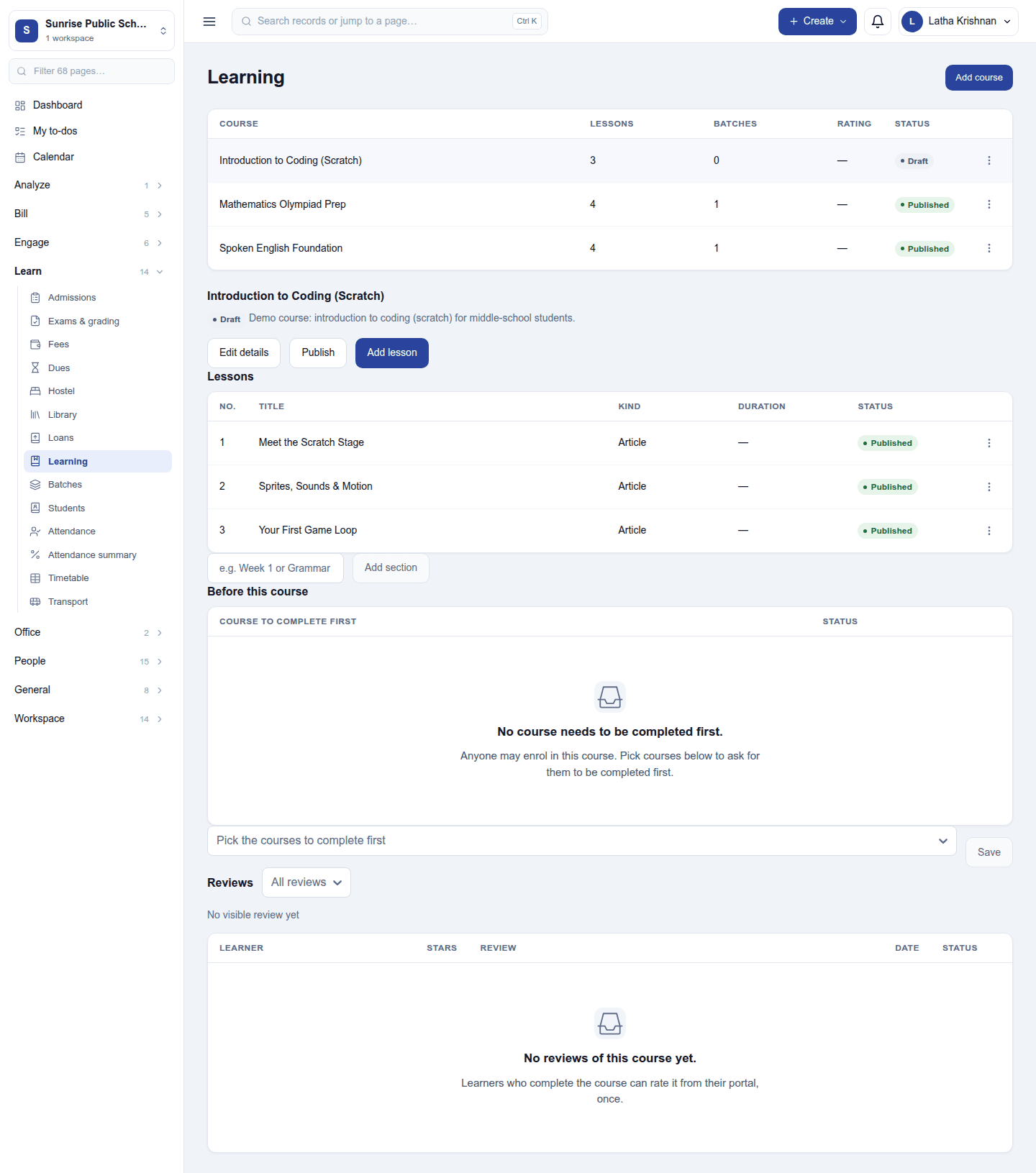
- Edit details, Publish and Add lesson. A lesson has a kind, a title, its content and an optional duration; lessons can be grouped under sections (Add section) and are published one by one.
- Before this course: the courses a learner must complete first. Until they have, nobody can enrol them, at any door.
- Reviews: the stars and reviews learners left after completing the course. Staff can hide a review.
Quizzes and certificates. A quiz lesson is finished by passing it. A course set to give a certificate issues one, once, when a learner completes it, with its own public check link. Certificates need the plan's Scored surveys and certificates feature.
Batches
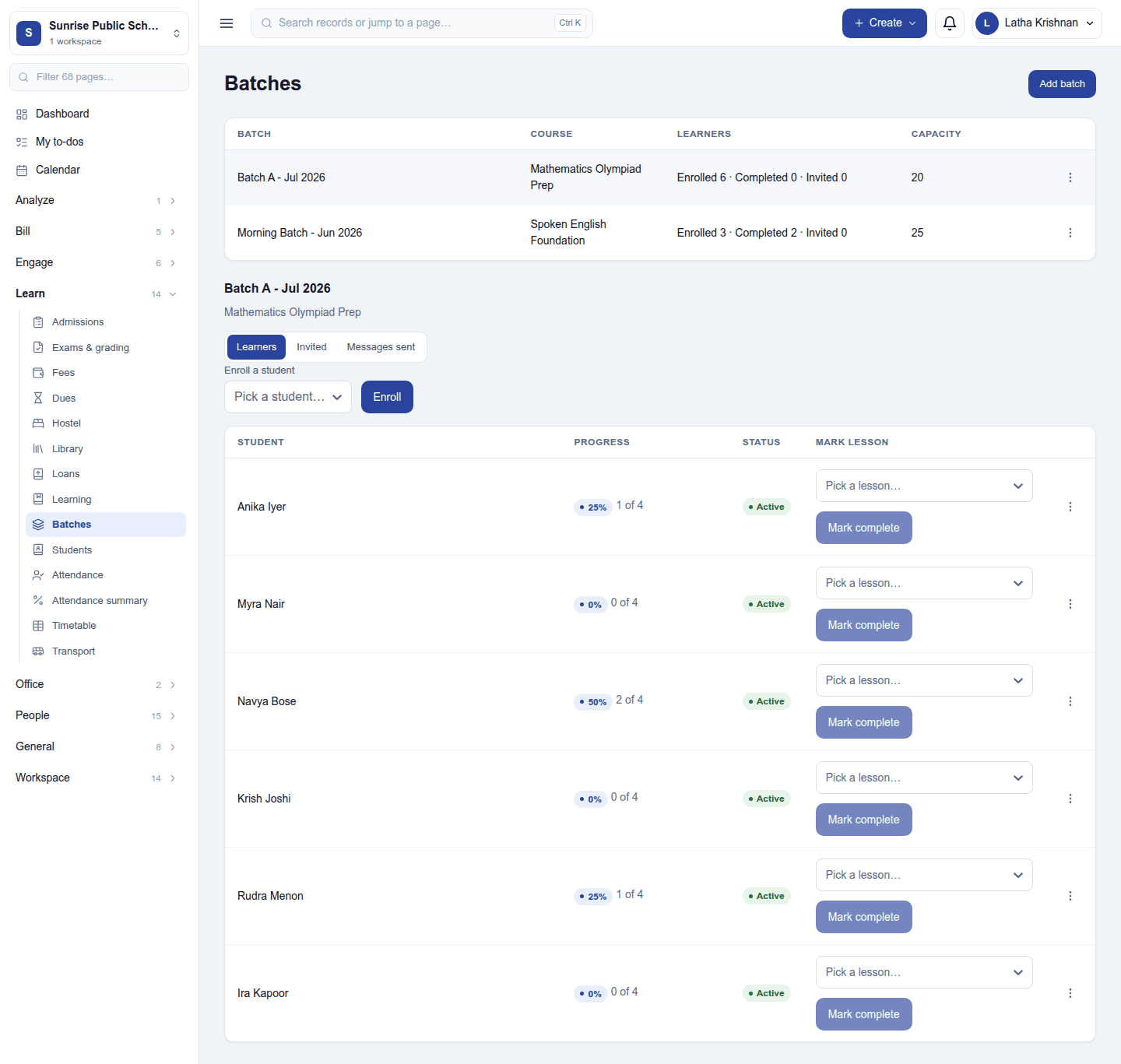
The batch list shows each batch's course, learners (Enrolled · Completed · Invited) and capacity. Add batch asks for a name (for example Morning batch A), the course, its start date and capacity. Click a batch:
- Learners: Enroll a student; each learner shows their progress (2 of 4 lessons done), status and a Mark lesson picker with Mark complete. A learner's ⋮ menu can Issue certificate.
- Invited: Invite learners… sends people with a portal login the course link (creating a portal login for those without one). An invitation keeps no place until accepted, and can be withdrawn.
- Messages sent: Message learners… sends one email, text or WhatsApp message to the batch.
A paid place bought after the batch filled is enrolled past the cap, and the batch says by how many.
Course payments
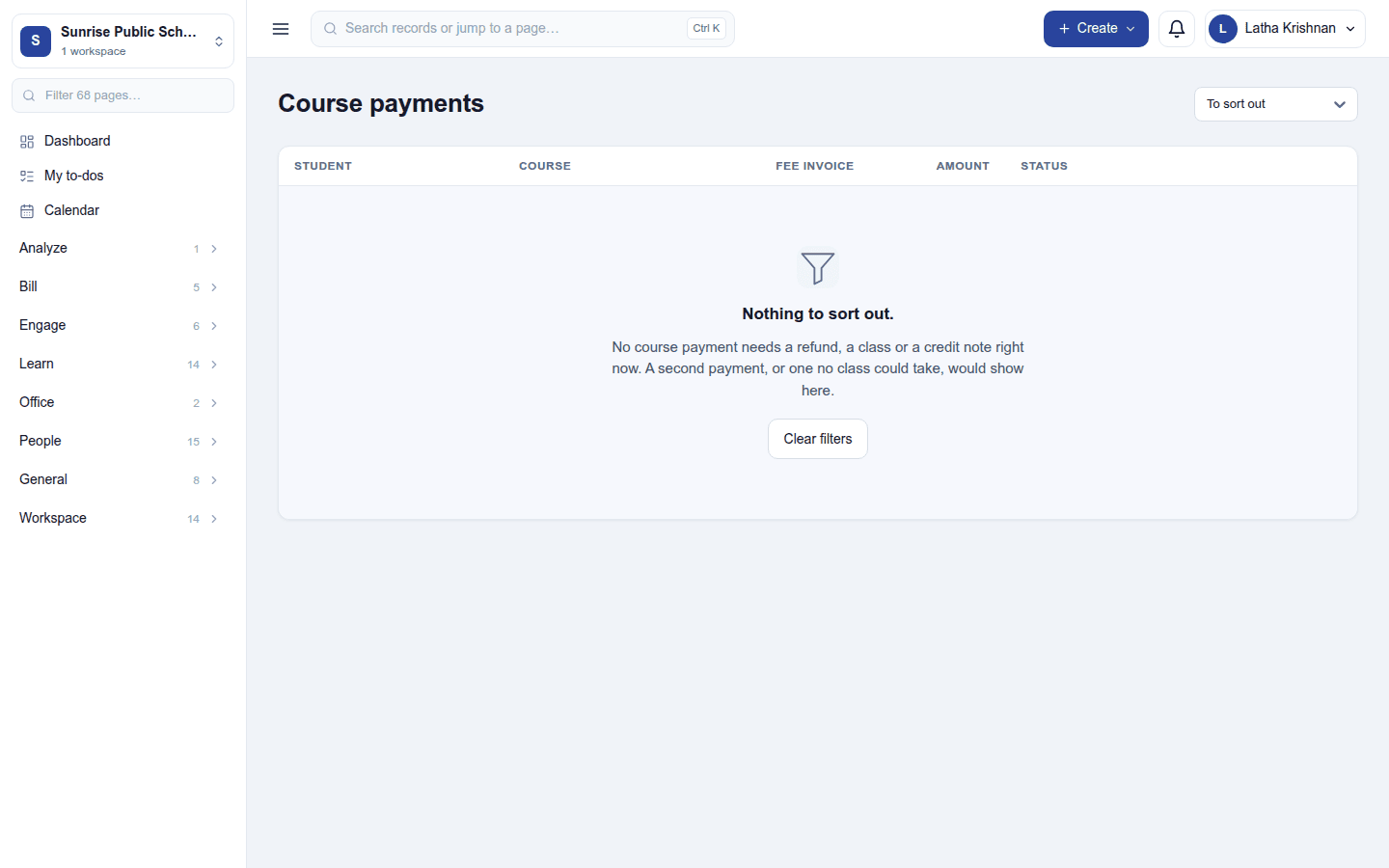
Course payments (needs Manage courses) shows what each paid invoice for a course did: who was enrolled in which batch, or why a person is needed (no batch with room, for example). An invoice paid in full for a course's product enrols the person it is made out to, whether it came from the portal's Buy, the desk, the till or the shop.
The learner's side
In the customer portal, a learner sees My courses with their progress, opens lessons in a lesson player, takes quizzes, rates a completed course, downloads their certificate, and joins or buys courses they may join.
Settings
Settings → Courses:
- Course tags: the tags courses are filed under.
- Learner messages: messages sent by themselves when a learner is enrolled, a new lesson is published, a learner completes the course, or a certificate is issued. Each is an email, SMS or WhatsApp utility template, for every course or one. Add the suggested messages adds four ready-written emails.
Reports
Reports → Courses has the course funnel, lesson drop-off and quiz results, filterable and exportable like every report.
Permissions
| Permission | Allows |
|---|---|
View courses (lms.view) |
See courses, batches and learners' progress. |
Manage courses (lms.manage) |
Build courses and lessons, run batches, enrol, invite and message learners, see course payments. |
Ready-made automations
| Name | Kind | What it does | Starts |
|---|---|---|---|
| Tell me when someone joins a course | Rule | Tells the workspace owner about each course enrolment. | Off, because a busy course can bring many |
Turning it off
The course screens leave the menu and the portal's courses, and the learner messages stop. Courses, batches, progress and certificates are kept; a certificate's check link keeps working.
In the desktop and mobile apps
Not carried.